
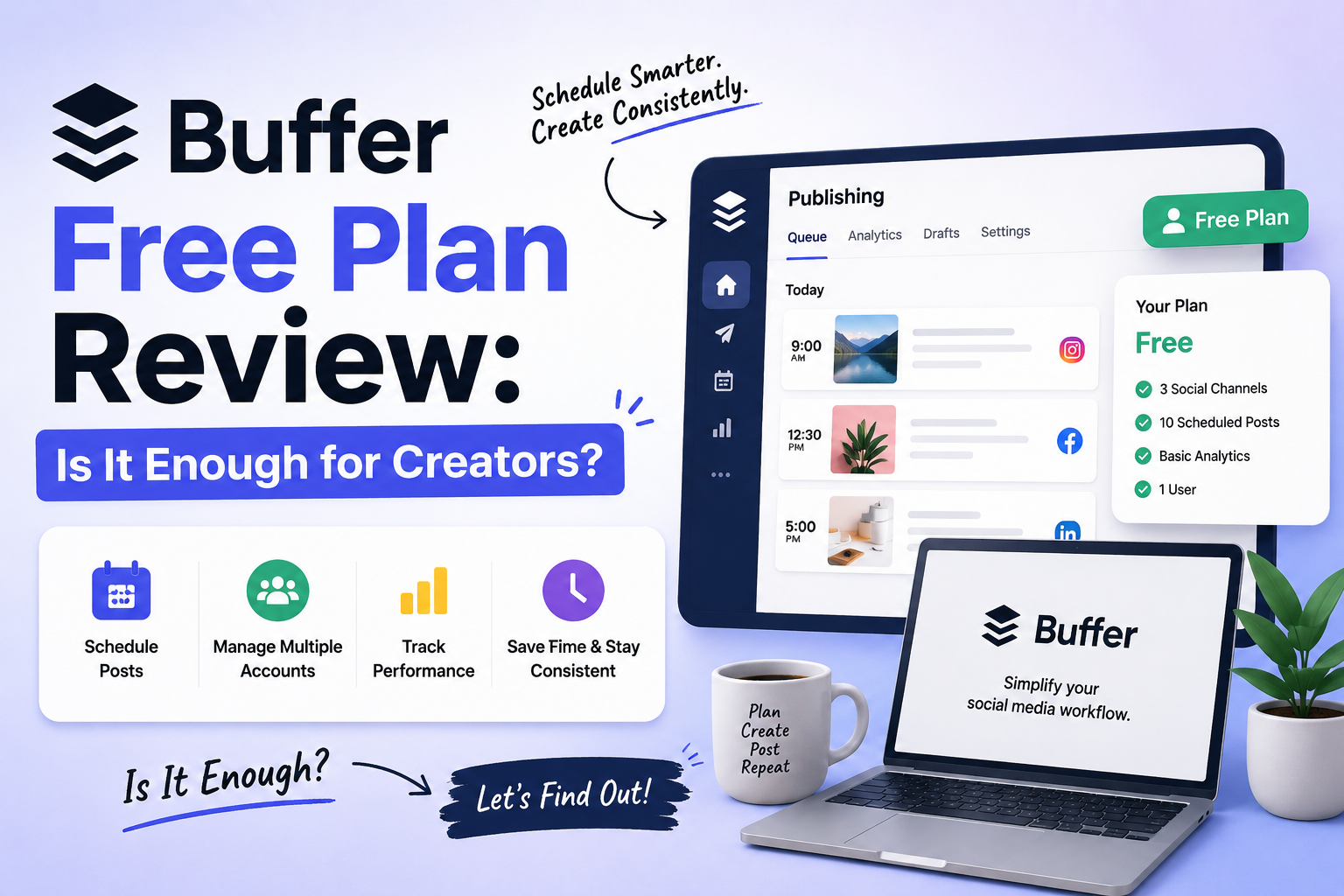
Buffer Free Plan Review: Is It Enough for Creators?
Buffer Free Plan became popular because most creators do not start using scheduling tools to become ultra-productive social media machines.
Usually, it starts after forgetting to post for the fifth time in one week.
Or after opening Instagram at 11:47 PM, thinking:
“I should probably upload something today…”
That is honestly why tools like Buffer became so popular. Not because creators love dashboards and analytics.
Constantly thinking about posting content every single day gets mentally exhausting after a while.
For many creators, the Buffer Free Plan simply makes content scheduling feel less stressful and easier to manage consistently.
What Buffer Actually Does
Buffer is basically a social media scheduling tool.
It helps creators:
- plan content,
- schedule posts,
- manage multiple accounts,
- and stop relying entirely on memory to stay consistent online.
Instead of manually posting every day, you can upload content beforehand and let Buffer handle the timing. And honestly, for a lot of creators, that already makes life feel much less chaotic.
Why A Lot Of Creators Like Buffer
The biggest reason is, honestly, simplicity. Some scheduling tools feel overwhelming immediately.
Too many tabs, graphs, and features nobody realistically touches daily. Buffer feels lighter.
The dashboard is clean. Scheduling feels simple. And it does not feel like you need a full marketing team just to understand how the platform works.
That matters a lot, especially for:
- solo creators,
- freelancers,
- small businesses,
- And people are already mentally overloaded from trying to keep up with social media constantly.
What The Buffer Free Plan Actually Includes
The Buffer free plan gives creators access to:
- basic scheduling,
- limited social accounts,
- content planning,
- and post management tools.
For creators mainly trying to stay consistent without spending money immediately, honestly, it covers the basics pretty well.
Especially for platforms like:
- Instagram,
- LinkedIn,
- X,
- Facebook,
- and Pinterest.
The Free Plan Feels Completely Fine In The Beginning
This part is important. A lot of beginners think they immediately need expensive social media tools. Most of the time, they really do not.
If you are:
- posting a few times a week,
- managing one brand,
- or building content slowly,
The Buffer free plan honestly feels more than enough initially. It removes the stress of constantly remembering posting times manually.
And weirdly enough, simply scheduling content ahead already makes creators feel much more organised.
Where Buffer Starts Feeling Limiting
The limitations usually appear once the content becomes more serious.
For example:
- more social accounts,
- heavier posting schedules,
- team collaboration,
- or managing multiple clients.
At that point, the free version starts feeling restrictive pretty quickly.
Especially for:
- agencies,
- growing brands,
- or creators posting heavily across several platforms daily.
That is usually when people either upgrade or start looking at Buffer alternatives.
Is Buffer Good For Instagram Scheduling?
Honestly, yes. A lot of creators mainly use Buffer for Instagram scheduling because it keeps content planning cleaner, especially when paired with a reliable social media service for managing daily posting workflows.
Especially for:
- reels,
- captions,
- carousel posts,
- and content calendars.
It helps people batch content properly instead of constantly scrambling for something to upload at the last minute every day.
Most Creators Honestly Do Not Need Fancy Features Initially
This part matters more than people realise.
A lot of creators think they need:
- complicated analytics,
- massive automation systems,
- advanced dashboards,
- and enterprise-level tools immediately.
Most people honestly just need something that helps them:
- stay consistent,
- organise content,
- and reduce mental clutter.
That is the real reason simpler tools like Buffer still work well.
Buffer Free vs Paid Plan
The answer honestly depends on how intense your workflow becomes.
If you are:
- a solo creator,
- beginner,
- freelancer,
- or small business,
The free plan is usually enough for a while.
A lot of creators start with simple social media tools before moving toward more advanced systems later.
But once content becomes tied heavily to:
- business growth,
- lead generation,
- client management,
- or larger posting systems,
The paid features start making more sense.
Buffer Alternatives Creators Also Use
Some creators eventually move toward tools like:
- Hootsuite
- Later
- Metricool
- Notion
depending on:
- workflow style,
- content volume,
- and team size.
But honestly, for many smaller creators, Buffer already solves the biggest problem:
posting consistently without feeling overwhelmed constantly.
Final Thought
The reason the Buffer free plan still works for many creators is that most people are not searching for complicated marketing software.
They just want something simple that helps them:
- stay organised,
- schedule content,
- And stop forgetting to post every other day.
And honestly, Buffer does that part really well. Especially for creators still trying to build consistency before turning content into a larger system or business.
Frequently Asked Questions
1. Is the Buffer free plan worth it?
For smaller creators and beginners, honestly, yes. It handles basic scheduling very well.
2. What does the Buffer free plan include?
It includes basic scheduling, limited social accounts, and simple content management tools.
3. Is Buffer good for Instagram scheduling?
Yes. A lot of creators use Buffer for scheduling reels, posts, and captions.
4. When does Buffer start feeling limited?
Usually,y when creators begin managing multiple accounts or posting large amounts of content daily.
5. What are some Buffer alternatives?
Popular alternatives include Hootsuite, Later, Metricool, and Notion.