

Julius AI Guide: Your Personal Data Analyst in 2026
Data is everywhere. Every time you scroll on your phone, buy something online, or like a post, you create data.
For businesses, this information is like gold. But there is a problem. Raw numbers are hard to read. You cannot just look at a giant spreadsheet and know what to do next. That is where Social Think steps in.
At Social Think, we specialize in social media strategy, analytics, and insights that drive real business results. We know that turning numbers into a plan is the secret to winning. We spend our days looking at metrics to help brands grow.
Because we love data so much, we are always looking for tools that make the job easier. Today, we are looking at a tool that is changing the game for everyone, not just experts. This tool is Julius AI.
Imagine having a smart assistant who loves math and coding. You hand them a messy file, and they fix it for you. You ask them questions in plain English, and they answer with a chart. That is what this tool promises to do. It acts as an AI data analyst that lives in your browser.
In this article, we will look deep into the Julius AI platform. We will see if the Julius AI free version is enough for you, check if Julius AI is safe, and look at how it handles complex data. Whether you are a business owner or just someone who hates Excel formulas, this review is for you.
What is Julius AI and How Does It Work?
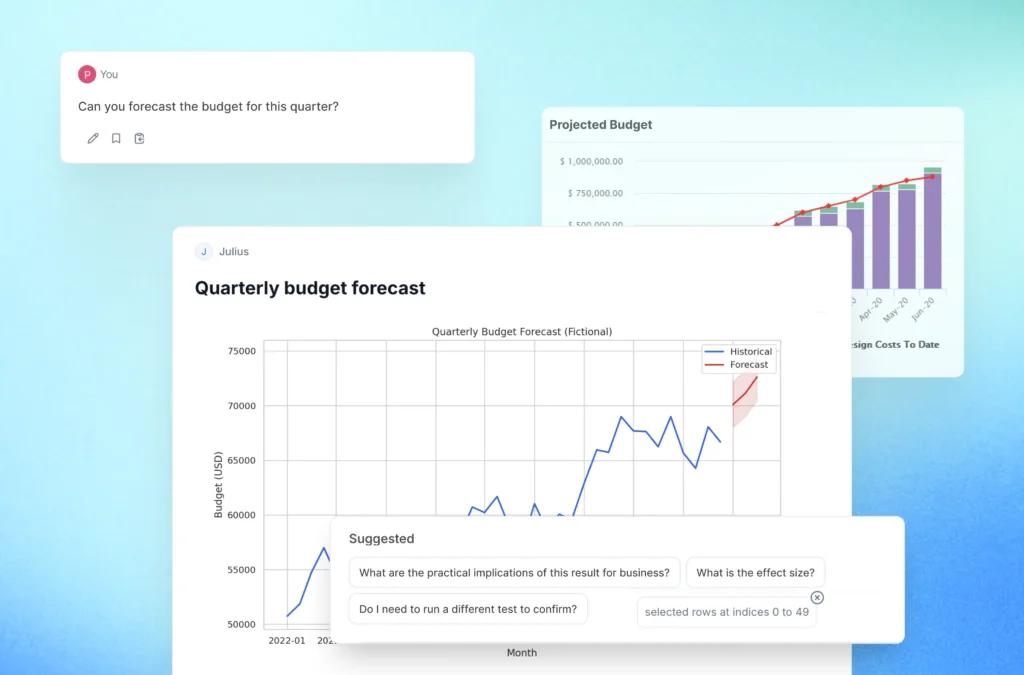
Julius AI is an intelligent data tool. It uses artificial intelligence to help you talk to your data.
Usually, if you want to find sales trends or make a pie chart, you need to know how to use software like Excel or Tableau. Sometimes, you even need to know how to code.
With Julius AI, the learning curve is very small.
You do not need to be a math genius. You just need to know how to ask questions. It connects to your files, reads the information, and waits for your commands.
The Core Technology Behind the Platform
How does it actually work? Under the hood, Julius AI uses powerful natural language processing. This is the same tech that powers chatbots.
But Julius is different because it specializes in numbers. When you ask a question like, “What were my sales last quarter?“, the tool translates your words into Python code. Python is a coding language used by data scientists.
The AI tool writes the code, runs it against your data, and shows you the result. This means you get the power of advanced data analysis without writing a single line of code yourself.
It allows you to transform raw data into actionable insights instantly.
Who Can Benefit From Using It?
You might wonder if this tool is for you. The short answer is: probably.
- Business Professionals: If you need to make reports for meetings, this helps you build charts fast.
- Data Analysts: Even if you know how to code, Julius saves time on boring data tasks like cleaning.
- Marketing Teams: At Social Think, we see value here for tracking campaign data and customer behavior.
- New Users: If you have never done data analysis before, this is a great place to start.
Key Features of Julius AI For Data Analysis
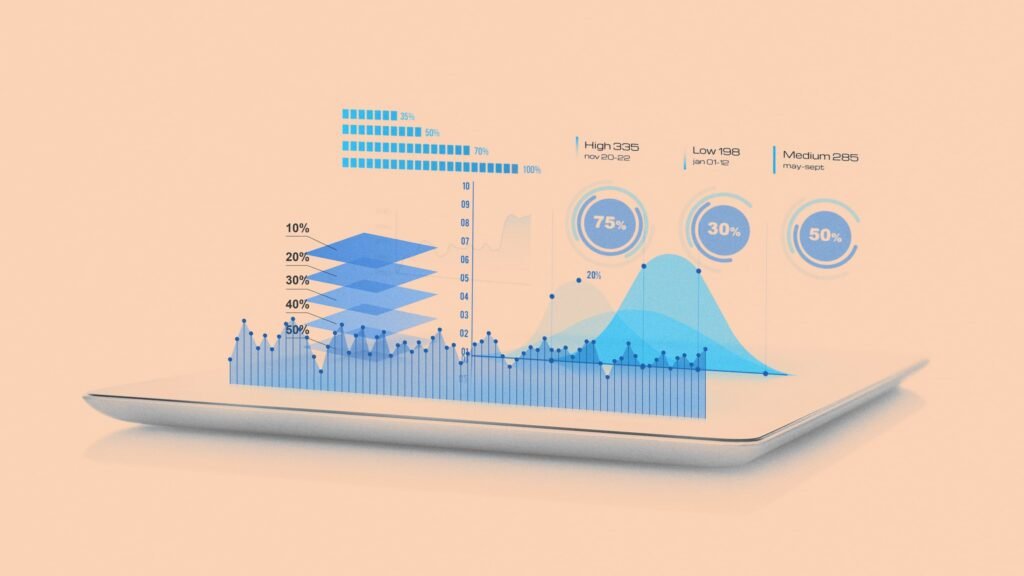
The Julius AI platform is packed with features. It is designed to replace a lot of the manual work we hate doing.
Let’s look at the key features that make it a powerful tool.
Natural Language Data Querying
This is the best part of the tool. You use natural language prompts to get answers. You do not need to memorize formulas or click through confusing menus.
For example, you can upload a file and type: “Show me the top 5 products with the highest profit.” The Julius AI chat reads the request and gives you the answer. It feels like texting a colleague. This feature makes business intelligence accessible to everyone.
Automated Data Visualization and Charting
Numbers in a column are boring. Pictures are better. Julius AI has strong visualization capabilities.
It can automatically choose the best graph for your data. If you have data about different groups, it might suggest a pie chart. If you have data over time, it will likely make a line graph. You can create scatter plots, bar charts, and histograms just by asking.
These visual aids help you spot patterns that you might miss in a spreadsheet.
Advanced Statistical Modeling and Forecasting
For power users or data science fans, Julius goes beyond basic math.
It can perform statistical analysis. You can ask it to find correlations (how two things are related) or trends. It also supports predictive modeling.
This means it can look at your past data and guess what might happen in the future.
For example, you could ask, “Based on this year, what will sales look like next January?” This helps in making forward-thinking decisions.
GIF Creation and Dynamic Exports
Static images are fine, but moving images are cool.
Julius AI can create animated charts. You can export these as GIFs. This is great for presentations where you want to show how data changes over time.
Having dynamic exports makes your reports stand out. It turns boring data insights into a story that people want to watch.
How to Use Julius AI to Clean and Analyze Data?

Getting started is simple. The goal is to get you from a blank screen to meaningful insights as fast as possible. Here is how you do it.
Uploading Spreadsheets and Connecting Data Sources
First, you need data. Julius AI is very flexible with file types.
- Excel Sheets: You can upload standard .xlsx files.
- CSV Files: It handles CSV files very well, which is a common format for large datasets.
- Google Sheets: You can connect directly to your Google Sheets. This is great for live data.
- SQL Databases: For more complex data, you can connect to databases like Postgres.
Once you add a data source, the tool scans it to understand what is inside. It looks at the column names and the type of data (numbers, dates, or text).
Writing Effective Prompts For Analysis
To get the best results, you need to talk clearly. While the natural language tech is good, being specific helps.
Instead of saying “Analyze this,” try saying: “Check column C for errors and remove rows with empty values. Then, group the data by month and show me the average price.”
This approach helps with data cleaning. You can tell Julius to fix dates, fill in missing numbers, or separate text. This prepares your complex datasets for the fun part: finding answers. Specific questions lead to particular answers.
Interpreting and Editing Python Code
This is a cool feature for those who want to learn. When Julius AI answers you, it shows the Python code it used. You can click a button to see the script. If you know a little coding, you can edit this manually to tweak the results. If you don’t know code, you can just ignore it.
But seeing the code builds trust. It shows you that the AI data analyst is using real logic, not just guessing.
Julius AI Pricing Plans and Subscription Options

Money matters. You need to know if this fits your budget. The pricing model is straightforward, but it changes, so always check their site for the latest numbers.
Free Vs. Paid Features
- Free Plan: There is a Julius AI free option. This usually gives you a limited number of messages per month. It is great for testing the waters. You can upload files and try the chat.
- Paid Plans: The paid tiers unlock more power. You get unlimited messages, longer memory (context) for the AI, and faster processing.
- Features: Paid plans often handle large files better and allow for more complex data analysis.
People often ask, “Is Julius AI free forever?” The free tier is usually permanent but limited. If you have heavy data tasks every day, you will likely need to upgrade.
Enterprise Solutions
For big companies, there is the Team Plan. This offers better security and collaboration tools.
Enterprise solutions often come with custom pricing.
If you are a large business, you care about is Julius AI safe. The enterprise plan focuses on data privacy and compliance. It ensures your proprietary sales data stays private.
Top Alternatives to Julius AI
Julius is great, but he is not the only fish in the sea. Let’s compare it to some Julius AI alternatives.
Julius AI Vs. ChatGPT Code Interpreter
ChatGPT is the most famous AI. It has a feature called Code Interpreter (now usually part of the main paid model).
- Similarities: Both use Python code to analyze files. Both use chat.
- Difference: Julius AI is built specifically for data. The interface is better for viewing tables and charts. Julius often handles large datasets more smoothly than ChatGPT. Julius feels more like a dedicated data analyst tool, while ChatGPT is a general assistant.
Julius AI Vs. PandasAI
PandasAI is a Python library. It is more of a developer tool.
- Difference: You need to know how to set up a coding environment to use PandasAI effectively. Julius AI is a web app. You just log in and go. Julius is much better for business analysts and non-coders who prioritize ease of use.
Other tools like Power BI or Tableau are heavy hitters. They are powerful but hard to learn. Julius sits in the middle: easier than Power BI but more powerful than a basic calculator.
FAQ’s:
Is Julius AI Free to Use?
Yes, there is a free plan. It allows you to try the features with a limit on how many questions you can ask per month. It is perfect for new users to see if they like it.
Is My Data Safe When Using Julius AI?
Security is a big deal. Julius AI states that they have strict data policies. They delete data from their servers after you are done (or give you the option to). However, always be careful. Avoid uploading highly sensitive personal info (like bank passwords) to any AI tool.
For general business data, it is built to be secure.
How Can I Access Julius AI Mobile App Features?
Currently, Julius AI works best in a web browser.
However, because it is a web app, you can use it on your phone’s browser. The Julius AI chat interface is mobile-friendly, so you can ask questions on the go.
What File Formats Does Julius AI Support?
It supports a wide range. The most common are Excel sheets (.xlsx) and CSV files. It also connects to Google Sheets and various SQL databases.
Do I Need to Know Python to Use Julius AI?
No. That is the beauty of it. You use natural language. The tool writes the Python code for you. You get the benefits of code without the headache of learning it.
Can Julius AI Create Visualizations For Presentations?
Yes. You can download the charts and graphs it creates.
You can put these interactive dashboards or static images straight into your slides. It makes you look like a pro data scientist in meetings.
Conclusion
The world of data is changing fast.
Tools like Julius AI are breaking down walls. You no longer need a degree in statistics to understand your business. You can simply ask questions and get answers.
From data cleaning to advanced features like forecasting, Julius covers a lot of ground. It turns raw data into clear insights in seconds. For business professionals, this speed is invaluable. It frees you up to focus on strategy rather than fighting with spreadsheets.
At Social Think, we believe in using the best tools to get the job done. Julius AI fits that description for anyone dealing with numbers. It is approachable, powerful, and efficient.
If you are looking to get more out of your data, especially in the world of social media, Social Think is here to help. We combine expert human strategy with the best analytics practices to help your brand shine.
Ready to take your social strategy to the next level? Contact Social Think today and let us turn your data into a success story. Don’t let your data gather dust.
Whether you use Julius AI or work with a partner like us, the key is to start asking questions. The answers might surprise you.