How to See Who Was Recently Followed on Instagram (Step-by-Step Guide)
We all get a little curious sometimes. You are scrolling through your phone, and you wonder about the activity on your own account or maybe someone else’s. Did you forget the name of that cool page you just added? Or perhaps you want to know what a competitor is up to.
At Social Think, we spend our days looking deep into social media strategy and analytics. We help businesses understand the story behind the data to get real business results.
Whether you are a brand trying to grow or just a regular user, understanding how Instagram works is key. We provide the insights you need to make smart moves.
Today, we are going to talk about a very popular topic: how to see who was recently followed on Instagram.
The Instagram app changes all the time. Buttons move, features disappear, and new rules pop up.
Years ago, it was easy to see exactly what everyone was doing. Now, it is a bit more hidden. This article will guide you through the most straightforward method to check your own list and explain the truth about checking others.
We will keep things simple. No complicated tech talk. Just clear steps and honest advice from the experts at Social Think. If you want to take your social media game to the next level, stick around.
How to Check Who You Recently Followed on Instagram?
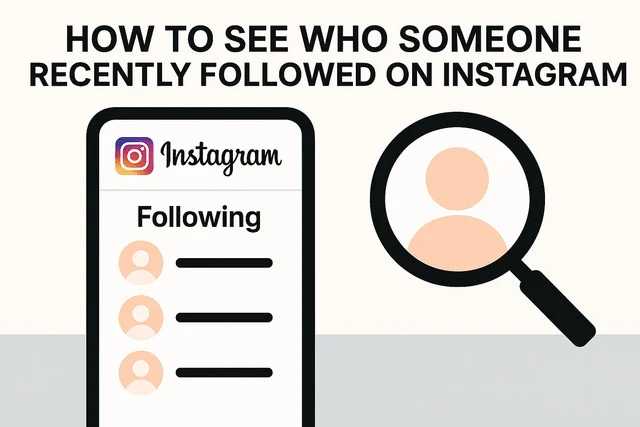
Let’s start with your own account. This is the easiest part because Instagram gives you full control over your own data. You might want to see who you just connected with, or maybe you are cleaning up your feed.
Using the “Sort by Latest” Feature on Mobile
The Instagram app on your phone has a built-in tool for this. It is hidden inside your follower list. This feature lets you sort your list in chronological order. This means you can see the accounts you followed five minutes ago right at the top.
Here is how you do it:
- Open the Instagram app on your phone.
- Tap on your profile page icon at the bottom right.
- Tap on the number labeled “Following.” This opens your list of accounts.
- Look for the two arrows (up and down icons) or the words “Sorted by.”
- Tap that icon. You will see options.
- Select “Date followed: Latest.“
Once you do this, the list changes. The most recently followed accounts will appear at the very top. This is great for keeping track of new connections.
If you accidentally followed a random account, you will see it here instantly.
This is a great way to manage your own privacy and feed.
If you see accounts you do not remember, you can unfollow them right there. It gives you peace of mind knowing exactly who has access to your posts.
Viewing Your Following History on Desktop
Things look a little different if you are on a computer. The user experience on the desktop website is not the same as the mobile app.
When you log in to your Instagram account on a web browser, you can go to your profile and click “Following.” However, the “Sort by” button is often missing. The desktop version usually shows the list based on engagement patterns or random interactions, not a specific time.
This can be frustrating. You might scroll down and see people you followed years ago mixed in with new connections.
For the best results, stick to the phone app. It provides the most straightforward method to see your recent history.
If you must use a computer, you simply have to scroll and look for names you recognize as new. At Social Think, we often tell clients to use the mobile app for quick checks and the desktop for deep analytics. Knowing the difference saves you time.
Can You See Who Someone Else Recently Followed on Instagram?
Now, let’s talk about the harder question. Can you see who someone else—like a friend, a competitor, or a partner—recently followed?
This is where things get tricky. Instagram used to make this public data, but they changed the rules to protect user privacy.
Why Instagram Removed the “Following” Activity Tab
Do you remember the “Following Activity” tab? It was a heart icon that showed you everything your friends were doing. You could see what they liked and who they followed in real time. In 2019, Instagram removed this feature. They said it was to simplify the app.
But really, it was about privacy. People did not like that their every move was being watched.
Because of this change, you cannot simply go to a tab and see a list of recent follow activity for other people anymore. The app focuses more on keeping users on the feed rather than letting them spy on neighbors.
Does the “Following” List Show Chronological Order for Others?
So, what happens if you go to another person’s Instagram profile and click on their “Following” number?
You will see a list of people they follow. But here is the catch: this list is usually not in chronological order.
For most accounts, Instagram scrambles this list. They show you people based on:
- Mutual connections (people you both follow).
- Engagement patterns (people they interact with a lot).
- Instagram strategy (verified accounts or big creators).
So, the person at the top of the list might be someone they followed three years ago, not five minutes ago. You cannot rely on the top name being the recent follower.
However, there is a small exception. Sometimes, on a very new account or an account with very few followers, the list might still appear in order. But as the account grows, the algorithm takes over and mixes it up.
Using Web Browsers Vs. The App to Check Lists
Is there a difference between looking at a public Instagram user on a browser versus the app?
Sometimes, yes. The web browser version of Instagram might show the list in a slightly different order than the app. But again, it is rarely a perfect timeline of recently followed on Instagram accounts. Some people try to use the search bar within the following list.
If you know the name of a specific person, you can type their Instagram username in the search bar of the target profile’s “Following” list. If their name pops up, you know they follow them. But this does not tell you when they followed them.
At Social Think, we use data to help businesses, but we always respect the platform’s limits. Trying to guess recent activity from a scrambled list is usually a waste of time.
Troubleshooting: Why Your “Recently Followed on Instagram” List Isn’t Updating
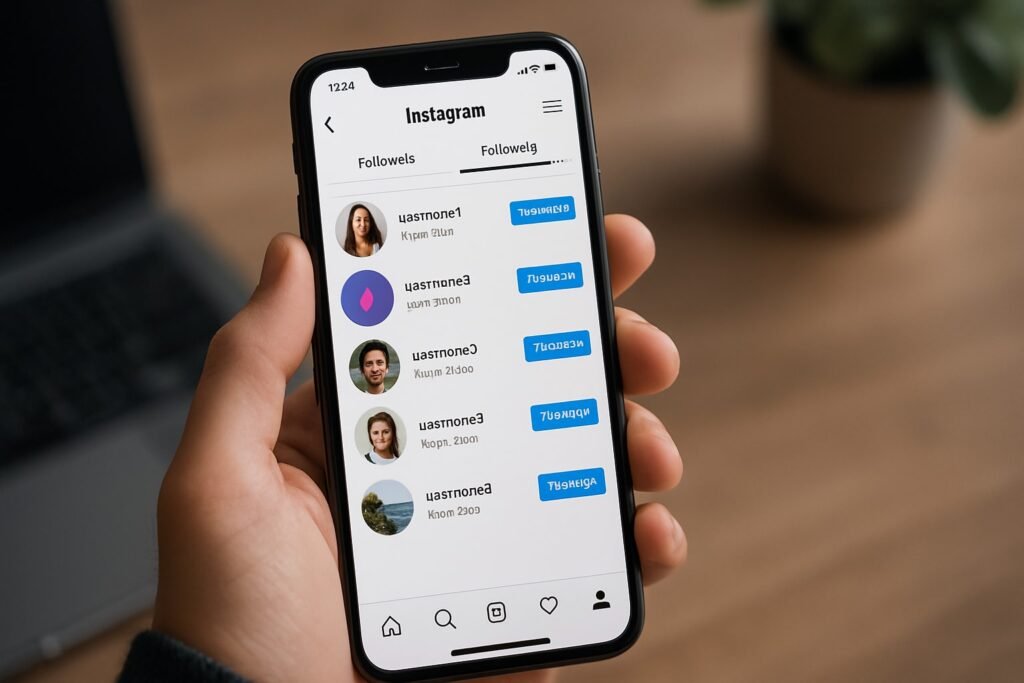
Let’s go back to your own account. Sometimes, even when you select “Sort by Latest,” the list looks wrong. Why does this happen?
Clearing App Cache and Data
Over time, your Instagram app stores a lot of old data to run faster. This is called “cache.” Sometimes, this old data gets stuck. It might show you an old version of your follower list or fail to show new followers you just added.
If your list is not updating:
- Go to your phone settings.
- Find the Instagram app.
- Look for “Storage” or “Cache.”
- Tap “Clear Cache.”
This refreshes the app without deleting your photos. It forces the app to load the latest followers and following data from the server. It’s a simple fix that improves the user experience.
Understanding Instagram’s Algorithm Glitches
Instagram is a huge machine processing billions of actions. Sometimes, it just glitches. You might follow a new page, but it does not show up in your “Following” count immediately. Or, the number of followers changes, but the list names do not. These are usually temporary. The platform might be updating its servers. If you are tracking engagement patterns for your business, do not panic if the numbers look off for an hour.
At Social Think, we monitor these changes closely. We help our clients stay calm when the platform acts up. If you need help managing your business account’s Instagram strategy, we are here to help.
The Truth About Apps That Track Who Was Recently Followed on Instagram
You have probably seen ads for apps that promise to show you everything. They say things like “See who your partner followed” or “Track recent followers instantly.”
Are these tools safe? Do they work?
Privacy Risks and Account Bans
We have to be honest with you. Most of these third-party apps are dangerous.
To use them, you usually have to give them your Instagram username and password.
This is a huge risk to your account security. Once you give away your login details, hackers can take over your profile. Also, Instagram hates these bots.
Their system can detect if a third-party app is scraping data. If they catch you using one, they might Shadowban you or permanently delete your Instagram account.
Is it worth losing your profile just to see a list of recent follow actions? Usually, the answer is no. Prioritize your own privacy and security.
Why Most Third-Party Tracker Apps Fail?
Even if you ignore the risks, most of these apps do not work.
Since Instagram made the API (the code that lets apps talk to each other) private, these tracker apps cannot access real time data easily.
They often guess or show you old available Instagram data.
Some tools like Dolphin Radar claim to track public Instagram activity. They look at public data that is visible to everyone and try to make reports. While tools like Dolphin Radar might show some info on a public profile, they cannot see inside a private account.
If someone has a private account, no app can legally show you their recent activity unless you are already following them.
Instead of relying on shady apps, focus on building genuine connections. Social Think believes in using legitimate analytics to grow, not spy tricks that put you at risk.
FAQ’s:
Is the “Following” List on Someone Else’s Profile Always in Chronological Order?
No. For most users, the following list is sorted by the algorithm. It shows mutual connections or popular accounts first. It is very rare to see a true chronological list on another person’s profile today.
Can I Hide Who I Recently Followed on Instagram From My Followers?
You cannot hide the list completely if you have a public Instagram account. Anyone can click your “Following” number and see the list of accounts. However, because the list is scrambled for them, they won’t easily know who you just followed.
If you want total privacy, you must switch to a private account. This way, only people you approve can see your list.
Why is the “Sort by” Option Missing From My Instagram App?
Sometimes Instagram tests new layouts. If the option is missing, try updating your Instagram app. Also, remember that this feature is usually only available when viewing your own profile, not when viewing others.
Can I See the Exact Time and Date Someone Followed A User?
No. Instagram does not display the timestamp of when a follow happened. You can only guess based on whether you noticed the number go up recently. No feature gives you a date stamp for a recent follow.
Do Third-Party Apps Work For Seeing Who Someone Recently Followed?
Most do not work well, and they are risky. They often provide inaccurate data. Apps that promise to show how to see who my boyfriend recently followed on Instagram are often scams trying to steal your password. It is better to trust what you can see in the app yourself.
How to See Who My Boyfriend Recently Followed on Instagram?
This is a very specific search term we see a lot: how to see who my boyfriend recently followed on Instagram. The truth is, there is no magic button. The only safe way is to look at his profile, check the “Following” number, and see if it went up.
You can scroll through the list, but remember, it is likely not in order. Trust and communication are always better than trying to act like a detective on an app that hides this data on purpose.
How to See Recent Following on Someone’s Instagram?
To see who someone recently followed on Instagram, you have to be vigilant.
- Go to their profile.
- Note the number of followers and following.
- Check back later.
- If the number goes up, they follow someone new.
- You have to manually search the list to guess who it is. There is no automatic recent follow tool provided by Instagram for this.
Conclusion
Understanding social media platforms can feel like a full-time job. Features change, privacy rules tighten, and algorithms get smarter.
When it comes to seeing who was recently followed on Instagram, the answer is split. For your own account, it is easy. You have the tools right in your hand to sort by “Latest” and manage your new connections.
For seeing what others are doing, the door is mostly closed. Instagram prioritizes privacy. The days of easily spying on a recent follower are gone. While some claim tools like Dolphin Radar can help with public data, the risk to your account security is high with most third-party apps.
Instead of worrying about who followed who, focus on your own growth. Are you reaching the right people? Is your content working?
This is where Social Think comes in. We move beyond the gossip of social media and focus on the business impact. We help you read the data that actually matters—likes, reach, conversions, and strategy.
Don’t let the algorithm confuse you. If you want to build a powerful Instagram strategy that brings real results, we are ready to help.
Ready to turn your social media data into business growth? Contact Social Think today. Let’s look at your analytics and build a plan that works. Check out our services at socialthink.io and start making smarter decisions.