8 Best AI Video Generators for Realistic Human Videos in 2026
TL;DR
AI video generators can now create realistic-looking people, talking presenters, digital avatars, and human characters without requiring a traditional camera setup.
Here are eight tools worth exploring in 2026:
- HeyGen: Best overall for realistic AI presenters, digital twins, and multilingual videos.
- Synthesia: Best for professional business videos, training, and presentations.
- D-ID: Best for turning photographs into talking AI avatars.
- Hedra: Best for expressive digital characters and audio-driven animation.
- Captions: Best for AI actors, digital twins, and social media videos.
- Arcads: Best for realistic AI actors and UGC-style advertising.
- Google Veo 3.1: Best for cinematic human scenes with realistic movement and audio.
- Kling AI: Best for realistic human motion and cinematic AI-generated footage.
One important distinction: some tools create a digital presenter who speaks a script, while others generate cinematic scenes featuring realistic human characters. Both can produce human videos, but they solve different problems.
Introduction
Creating a realistic human video traditionally requires a camera, lighting, a presenter, recording equipment, and editing software. Even a short promotional video can involve several production steps.
AI video generators are changing that process.
With the right platform, users can type a script, upload a photograph, select a digital presenter, or describe a scene and generate a video featuring a realistic-looking human.
For example, a business can create an AI spokesperson to explain a product. A marketing team can produce multiple versions of an advertisement featuring different presenters. A training department can turn written instructions into presenter-led videos without arranging a recording session.
Creators can also generate cinematic scenes featuring human characters, including walking, talking, reacting, and interacting with their surroundings.
However, not every AI video generator produces the same kind of human video.
Some platforms focus on realistic talking avatars and accurate lip-sync. Others focus on cinematic motion, facial expressions, natural body movement, and realistic environments.
That difference matters when choosing a tool. A platform designed for employee training may not be the best option for cinematic storytelling, while a text-to-video model may not be ideal for producing a 10-minute product presentation with a consistent spokesperson.
In this guide, we compare eight AI video generators for realistic human videos in 2026, covering their features, pricing, strengths, limitations, and ideal use cases.
Quick Comparison: Best AI Video Generators for Realistic Human Videos
| Tool | Best For | Main Strength | Starting Price |
| HeyGen | Realistic AI presenters | Digital twins, lip-sync, and multilingual videos | Free; Creator $29/month |
| Synthesia | Business and training videos | Professional AI avatars and scripted presentations | Free; Starter from $18/month with annual billing |
| D-ID | Talking photo avatars | Turning photographs into speaking characters | Trial available; Lite from around $4.70/month billed annually |
| Hedra | Expressive digital characters | Audio-driven character animation | Basic free access; paid from $20/month |
| Captions | Social media AI actors | Digital twins and AI-generated footage | Free access; Max $24.99/month |
| Arcads | UGC-style advertising | AI actors delivering promotional scripts | Paid credit-based plans |
| Google Veo 3.1 | Cinematic human scenes | Realistic motion, character references, and audio | Access through Google AI plans and Flow |
| Kling AI | Realistic human motion | Video generation and motion control | Plans from around $6.99/month |
Pricing is indicative USD pricing based on publicly listed plans or offers checked on October 30, 2026. Annual billing, regional pricing, credit allowances, and promotional offers can change. Always confirm the current price on the official website.
1. HeyGen – Best Overall for Realistic AI Human Presenters
Best for: Business presentations, marketing videos, digital twins, product explainers, and multilingual content.
Overview
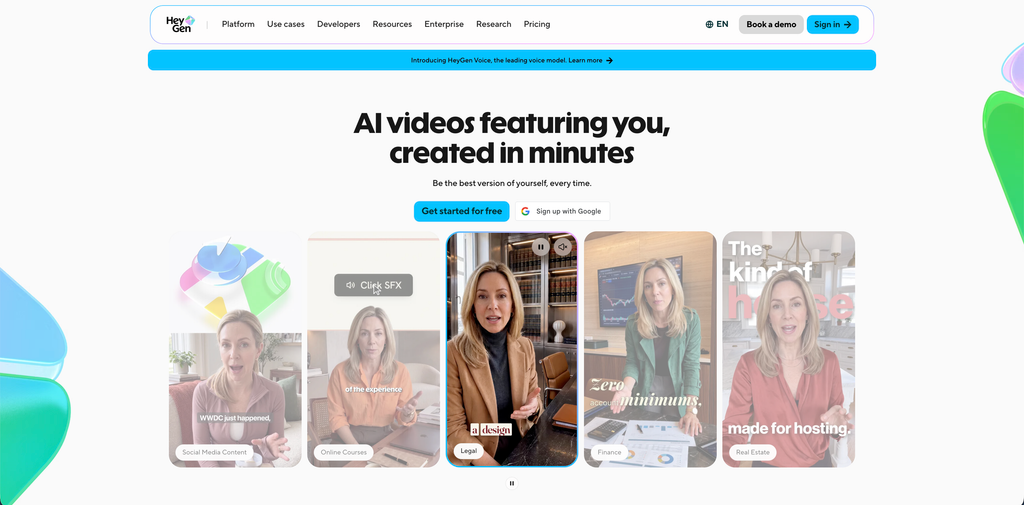
HeyGen is one of the strongest options for creating realistic human-presenter videos without recording every video yourself.
The platform allows users to create videos using ready-made AI avatars, custom digital twins, scripts, and voice features. Instead of hiring a presenter or setting up a recording studio, users can select an avatar, enter a script, and generate a video.
HeyGen is particularly useful for businesses that regularly produce product demonstrations, educational videos, marketing content, and internal communications.
Its Avatar IV and newer Avatar V capabilities are designed to make digital presenters look and behave more naturally. Users can also create custom avatars based on their own likeness, subject to the platform’s requirements.
For example, a SaaS founder can create a digital version of themselves and use it to produce product updates, onboarding videos, and educational content without recording every script manually.
HeyGen also supports video translation and voice features, making it useful for businesses targeting audiences in multiple countries.
Key Features
- AI video avatars: Choose from a large library of digital presenters.
- Custom digital twins: Create a video avatar using your own likeness.
- Avatar IV and Avatar V: Access advanced avatar generation capabilities.
- Voice cloning: Generate speech using a supported voice clone.
- Lip-sync: Synchronize avatar mouth movements with generated speech.
- Video translation: Create localized videos in multiple languages.
- Video Agent: Generate complete videos using prompts and scripts.
- AI video generation: Access text, image, and reference-based video workflows.
Pricing
HeyGen offers a free plan and several paid subscriptions.
- Free: $0/month, with three watermarked videos per month, up to one minute each.
- Creator: $29/month, with 600 credits and 1080p export.
- Pro: $49/month, with 1,000 credits, 4K export, and access to additional generation features.
- Business: $149/month, with 1,500 credits and team-oriented features.
- Enterprise: Custom pricing.
Credit requirements depend on the generation model and video workflow.
Pros
- Realistic AI presenters and digital twins.
- Supports multilingual video production.
- Useful for long-form scripted content.
- Offers voice cloning and lip-sync features.
- Suitable for business and marketing teams.
Cons
- Advanced avatar features consume credits.
- Higher-volume production requires paid plans.
- Some avatar movements may still look artificial.
- Realism depends on the source recording, voice, and selected model.
Who Should Use It?
HeyGen is a strong choice for businesses, creators, and marketing teams that need realistic human presenters regularly. It is particularly useful when the same person needs to appear in multiple videos or languages.
2. Synthesia – Best for Professional Business and Training Videos
Best for: Corporate training, employee onboarding, presentations, product education, and internal communication.
Overview
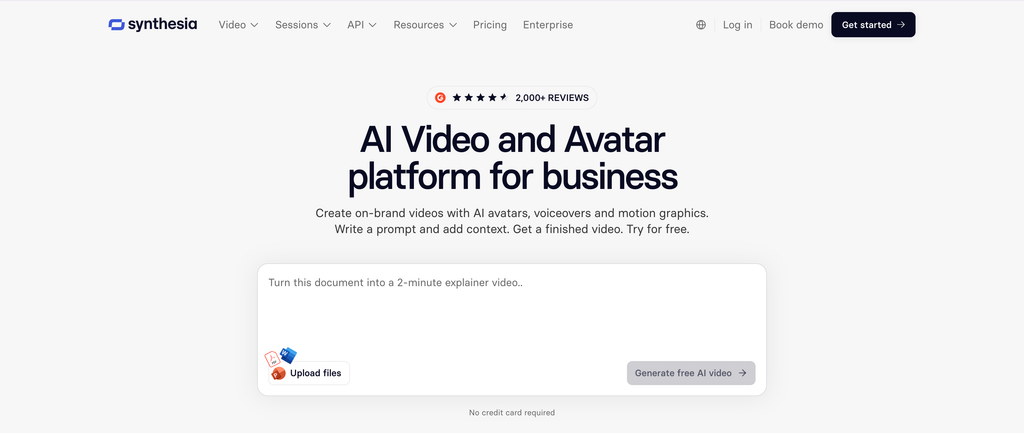
Synthesia is an AI video platform built around digital presenters and business video production.
It allows users to create videos by writing a script, choosing an AI avatar, selecting a voice, and arranging scenes in a visual editor.
The platform is particularly useful for organizations that need consistent presenter-led content without organizing repeated filming sessions.
For example, an HR department can create employee onboarding videos using the same digital presenter. A SaaS company can produce product tutorials, customer education videos, and internal training materials using a repeatable workflow.
Synthesia also supports custom avatars, voice options, multilingual content, and video translation.
Its main advantage is the structured production workflow. Rather than focusing primarily on cinematic scenes, Synthesia helps teams turn written information into professional presenter-led videos.
Key Features
- AI presenters: Choose from a library of professional digital avatars.
- Personal avatars: Create custom avatars based on approved personal recordings.
- Script-to-video: Convert written scripts into presenter-led videos.
- Multilingual voices: Produce videos in supported languages and accents.
- AI dubbing: Localize existing video content.
- Video templates: Use layouts for training, presentations, and explainers.
- Interactive videos: Create learning experiences with supported interactive features.
- Brand customization: Maintain consistent visual branding.
Pricing
Synthesia provides a free Basic plan and paid subscriptions.
- Basic: $0/month, including 10 minutes of video creation or dubbing and monthly credits.
- Starter: $18/month with annual billing.
- Pro: $64/month with annual billing.
- Enterprise: Custom pricing.
The paid plans include different credit allowances, avatars, export options, and collaboration features. Monthly and annual billing prices differ.
Pros
- Professional-looking digital presenters.
- Good for structured business communication.
- Supports multilingual video creation.
- Useful templates and editing tools.
- Suitable for recurring training content.
Cons
- Less focused on cinematic human scenes.
- Some avatar movements can appear scripted.
- Credit usage depends on the video content.
- Advanced features may require higher plans.
Who Should Use It?
Synthesia is best suited to businesses that need professional presenter-led videos at scale. If your main goal is to produce employee training, product tutorials, and corporate presentations, it is worth considering.
3. D-ID – Best for Turning Photographs Into Talking AI Avatars
Best for: Talking portraits, educational content, digital presenters, and personalized video communication.
Overview
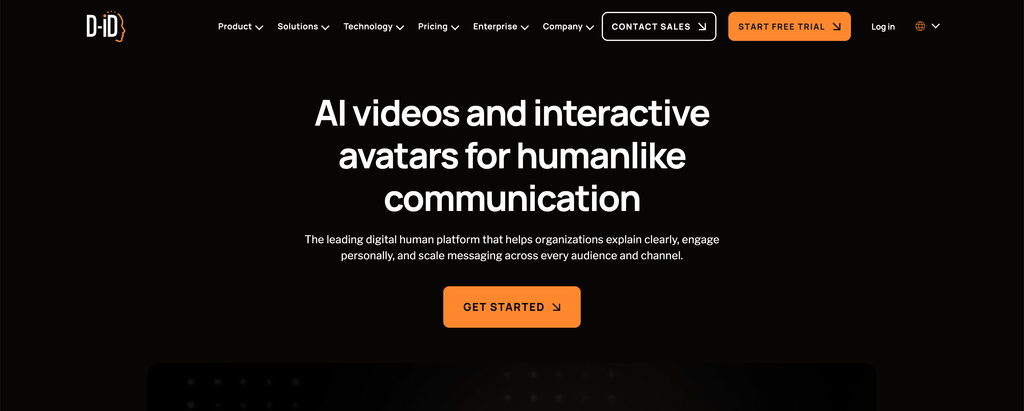
D-ID specializes in creating AI-generated videos featuring digital people.
One of its recognizable workflows is turning a still photograph into a talking avatar. Users can upload an image, add a script or audio, and generate a video in which the person appears to speak.
This makes D-ID useful for creators who want to animate portraits without recording a new video.
For example, an educator can create a digital presenter from an approved portrait and use it to explain a topic. A business can also create personalized communication videos using digital presenters.
D-ID provides avatar creation, voice features, and developer-focused capabilities through its platform.
Its main strength is the photo-to-talking-avatar workflow rather than full cinematic video generation.
Key Features
- Talking photo generation: Turn still images into speaking avatars.
- AI presenters: Create videos featuring digital human characters.
- Text-to-speech: Generate spoken narration from written scripts.
- Voice options: Use supported voices and voice integrations.
- Video translation: Create localized video content.
- Streaming avatars: Access interactive and real-time avatar capabilities through supported products.
- API access: Integrate avatar generation into applications and workflows.
Pricing
D-ID offers a free trial and paid Studio plans.
Indicative yearly-billing prices include:
- Trial: Free for a limited period and usage.
- Lite: Around $4.70/month.
- Pro: Around $16/month.
- Advanced: Around $108/month.
- Enterprise: Custom pricing.
The exact monthly price, video minutes, watermark restrictions, and commercial rights depend on the selected plan.
Check the current licensing terms carefully. Lower-tier plans may have personal-use restrictions, while commercial use is available on eligible plans.
Pros
- Simple photo-to-talking-avatar workflow.
- Useful for personalized videos.
- Supports script and audio-based generation.
- Offers API capabilities.
- Suitable for educational and informational content.
Cons
- Talking-photo videos may look less natural in some situations.
- Limited compared with cinematic text-to-video models.
- Video minutes and usage are plan-dependent.
- Commercial rights vary by subscription.
Who Should Use It?
D-ID is useful for creators and businesses that want to turn photographs into speaking digital characters. It is especially relevant for educational explainers, personalized communication, and simple presenter-led videos.
4. Hedra – Best for Expressive AI Characters
Best for: Character animation, storytelling, talking characters, and audio-driven video generation.
Overview
Hedra is an AI creation platform that focuses on bringing digital characters to life.
It supports workflows where users can create or upload a character image and generate a video using audio or other inputs. This is particularly useful when facial expressions, speaking movements, and character performance matter.
Unlike traditional presenter tools that primarily use predefined business avatars, Hedra can be useful for more creative character-based projects.
For example, a creator can design a fictional character, provide a voice recording, and generate a video in which the character appears to speak and react.
This makes Hedra relevant for animated storytelling, social media content, character-driven campaigns, and creative experiments.
Key Features
- Character animation: Generate videos featuring digital characters.
- Audio-driven generation: Use audio to guide character performance.
- Lip-sync: Synchronize character mouth movements with speech.
- Expressive movement: Generate facial expressions and character actions.
- Image-based workflows: Use visual references to guide character appearance.
- Multiple AI models: Access supported generation models through the platform.
- Developer API: Integrate supported generation features into applications.
Pricing
Hedra offers free access and paid plans.
- Basic: Free access with limited usage.
- Pro: $20/month, with 2,000 credits.
- Ultra: $50/month, with 7,200 credits.
- Higher-volume plans: Additional usage and team options.
- Enterprise: Custom pricing.
Credit usage varies depending on the selected model and generation type.
Pros
- Useful for expressive digital characters.
- Supports audio-driven animation.
- Suitable for character-based storytelling.
- Offers multiple creative workflows.
- Provides developer access.
Cons
- Credit consumption depends on generation complexity.
- Not every workflow is designed for corporate presentations.
- Results can vary with the source image and audio.
- Some advanced features require paid access.
Who Should Use It?
Hedra is worth exploring if you want to create expressive digital characters rather than standard corporate presenters. It is especially useful for storytelling, character-based social content, and creative video projects.
5. Captions – Best for AI Actors and Social Media Videos
Best for: Social media creators, short-form video marketing, digital twins, and AI-generated talking-head content.
Overview
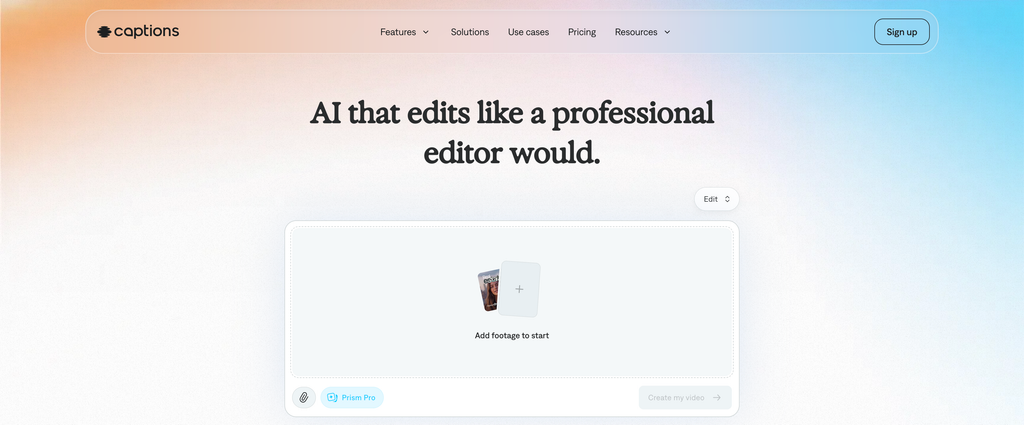
Captions is an AI-powered video creation and editing platform that helps creators produce polished videos with less manual work.
Its AI capabilities include digital twins, custom AI actors, AI-generated footage, captions, and editing features.
For creators who regularly publish short-form content, this can simplify the process of creating videos without recording every piece of content manually.
For example, a creator can use a digital twin to produce a short talking-head video, make edits through the platform’s chat-based editor, and prepare the result for social media.
Captions is also useful for marketing teams that need to create several variations of a video for different audiences.
Key Features
- AI actors: Create videos featuring generated digital people.
- Digital twins: Generate videos using a custom AI version of yourself.
- AI video creation: Generate new footage using supported models.
- Chat-based editing: Make changes through conversational instructions.
- AI captions: Add subtitles and customize their appearance.
- Video clipping: Turn longer videos into shorter social media clips.
- AI editing styles: Apply supported editing effects and formats.
- Video localization: Access supported language and editing workflows.
Pricing
Captions offers a free plan and paid subscriptions.
- Free: Limited access to basic editing features.
- Max: $24.99/month, including 500 credits.
- Frontier: $69.99/month, including 1,400 credits.
- Higher usage options: Additional credit tiers.
- Enterprise: Custom pricing.
These prices are listed in USD on the platform’s pricing page and reflect its displayed iOS plans. Desktop and regional offers may differ.
Pros
- Useful for short-form video creation.
- Supports custom digital twins and AI actors.
- Includes AI-powered editing features.
- Helps create social media-ready content.
- Offers a conversational editing workflow.
Cons
- Generative features use credits.
- Higher-volume video production can become expensive.
- Some features are more useful on mobile workflows.
- Results depend on the selected model and source material.
Who Should Use It?
Captions is a good option for creators and marketing teams that regularly publish short videos. It is particularly useful when you want to combine AI-generated human footage with editing, subtitles, and social media content preparation.
6. Arcads – Best for Realistic AI Actors and UGC-Style Advertising
Best for: Performance marketers, e-commerce brands, paid social campaigns, and UGC-style advertisements.
Overview
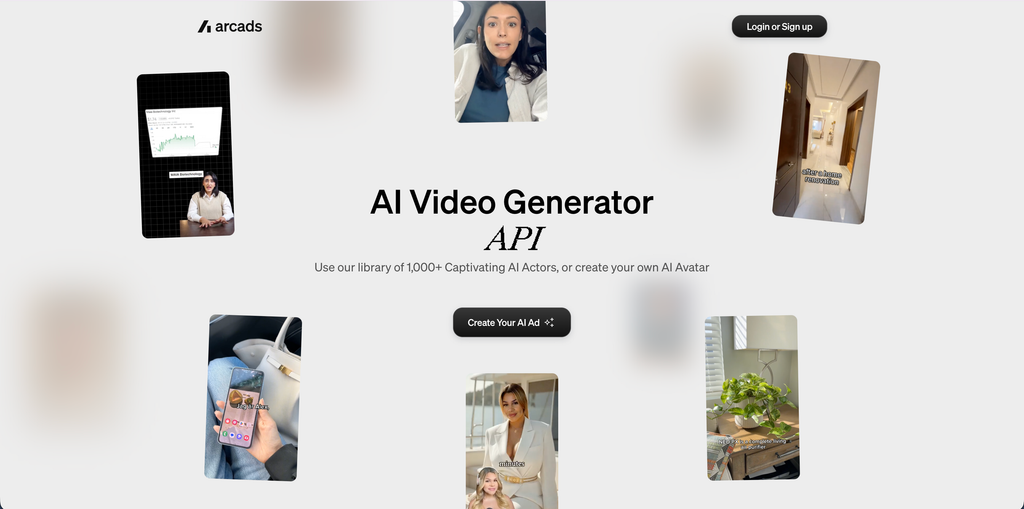
Arcads focuses on AI-generated actors for advertising and marketing videos.
Instead of organizing a traditional creator shoot, users can choose an AI actor, provide a script, and generate a video featuring that person delivering the message.
This makes Arcads particularly useful for brands that need multiple advertisement variations.
For example, an e-commerce company can create different versions of a product promotion using different AI actors, scripts, and delivery styles. A marketing team can compare the creative concepts before investing in a larger production.
Arcads also supports custom actors and different video generation approaches.
Its AI actors are based on real people who have agreed to have their likeness used, according to Arcads’ documentation. This is an important distinction when evaluating the platform’s approach to digital actors.
Key Features
- AI actor library: Choose from different digital presenters.
- Script-based videos: Generate actors delivering written promotional messages.
- Custom actors: Create a custom actor from a prompt, image, or video.
- Voice cloning: Use supported voice cloning features.
- Expressive gestures: Add emotions and gestures to actor performances.
- Audio-driven generation: Match video performance to supplied audio.
- Actor replacement: Replace a person in an existing video through supported workflows.
- Multiple generation models: Access different models for talking-actor videos.
Pricing
Arcads uses credit-based plans.
The exact subscription price and credit allowance depend on the selected plan and billing period. Annual billing offers a discount, according to its help documentation.
Generation costs vary by feature. For example, its documentation lists 800 credits for an Arcads 1.0 talking-actor video of up to two minutes, with different credit requirements for other models and features.
Check the current pricing page and the credit cost shown in your account before generating videos.
Pros
- Designed specifically for AI advertising actors.
- Useful for UGC-style promotional videos.
- Supports different actor and voice options.
- Custom actor creation is available.
- Useful for producing multiple creative variations.
Cons
- Credit usage can increase with repeated generations.
- Primarily focused on advertising rather than general filmmaking.
- Requires careful scriptwriting for natural delivery.
- AI-generated testimonials should never be presented as genuine customer experiences.
Who Should Use It?
Arcads is best for performance marketers and brands that want to create UGC-style advertising without arranging a traditional creator shoot for every variation. It is particularly useful for testing different scripts and presenter styles.
7. Google Veo 3.1 – Best for Cinematic Human Videos
Best for: Filmmakers, creative agencies, cinematic storytelling, and realistic human scenes.
Overview
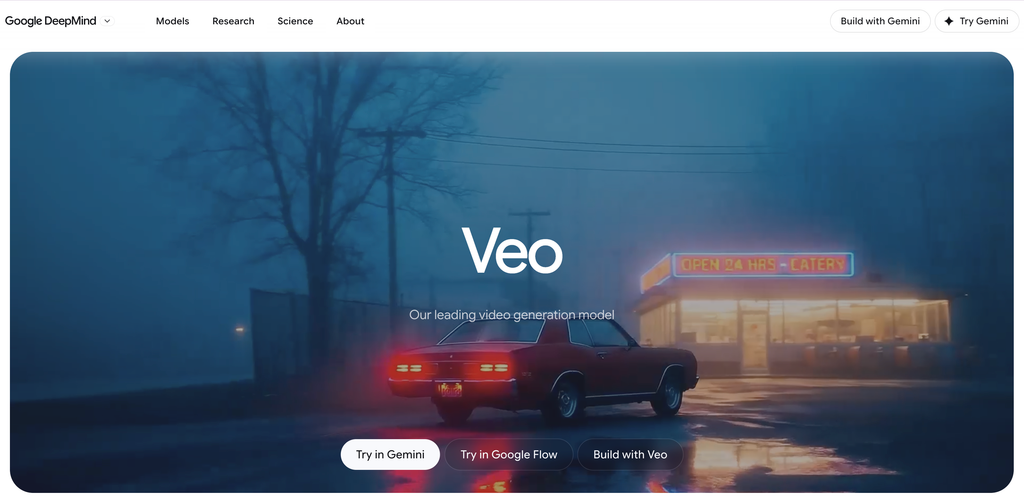
Google Veo 3.1 is a video generation model designed to create realistic scenes from text prompts and reference images.
Unlike avatar platforms that generate a presenter reading a script, Veo is designed for broader video creation. It can generate scenes featuring people, environments, camera movement, and audio.
For example, a filmmaker can describe a person walking through a busy street, looking toward the camera, and speaking a short line. The model can generate a cinematic scene with movement and sound.
Veo 3.1 also supports reference-image workflows, allowing users to guide the appearance of characters and objects.
Its character reference capabilities are particularly relevant when a human character needs to maintain a recognizable appearance across multiple scenes.
Google also offers camera controls, first-and-last-frame generation, scene extension, and output options that include 1080p and 4K through supported workflows.
Key Features
- Text-to-video: Generate human scenes from written prompts.
- Image-to-video: Animate uploaded reference images.
- Character references: Guide the appearance of people across scenes.
- Native audio: Generate synchronized dialogue, sound effects, and ambient audio.
- Camera controls: Direct framing and camera movement.
- First and last frames: Guide transitions between reference images.
- Scene extension: Continue compatible video clips.
- High-resolution output: Support 1080p and 4K through eligible workflows.
Pricing
Veo 3.1 is accessible through Google’s supported products and developer options.
Consumer access is available through eligible Google AI subscriptions and Google Flow. Pricing and credit allowances vary by country and subscription.
For example, Google AI Pro is listed at $19.99/month in the US. API access has separate usage-based pricing.
Check the current Google AI and Flow plan details to understand the number of generations available to you.
Pros
- Designed for realistic cinematic scenes.
- Supports human character references.
- Generates video with native audio.
- Offers camera and scene controls.
- Useful for storytelling and advertising visuals.
Cons
- Not designed primarily for long scripted presentations.
- Short generated clips may need to be combined in an editor.
- Credit and access limits vary.
- Spoken audio and character consistency still require review.
Who Should Use It?
Google Veo 3.1 is a strong option for filmmakers, agencies, and creators who want realistic human scenes rather than standard talking-head avatars. It is particularly useful for cinematic advertisements, visual storytelling, and short promotional sequences.
8. Kling AI – Best for Realistic Human Motion and Cinematic Footage
Best for: Human movement, cinematic scenes, character animation, and AI-generated B-roll.
Overview
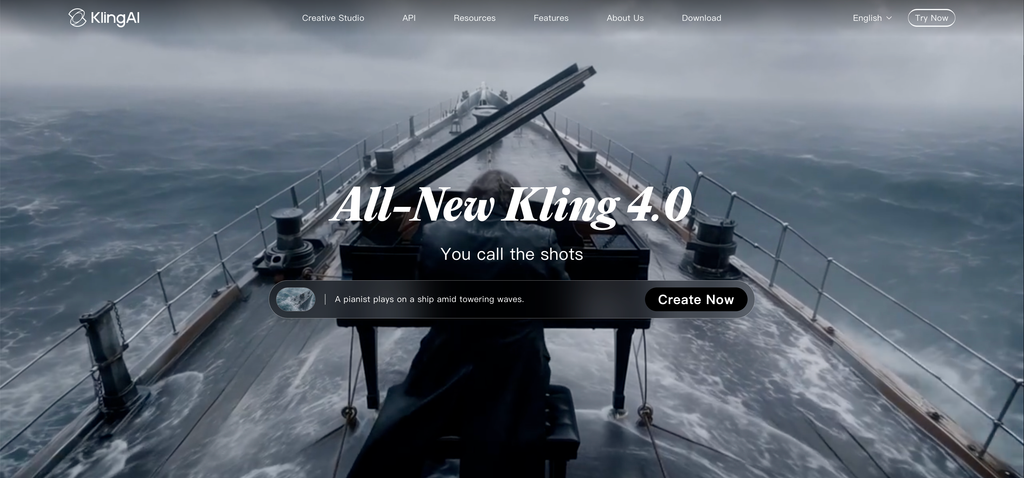
Kling AI is a video generation platform that supports text-to-video, image-to-video, and other creative workflows.
It is useful when a creator wants to generate moving human characters from an image or written description.
For example, a user can upload a portrait or character reference and describe how the person should move. The platform can then generate a short video based on the visual and motion instructions.
Kling’s newer tools include motion control and avatar-related features. These make it relevant for projects that require more than a static talking presenter.
It can also be used to create cinematic human footage, such as people walking, interacting with objects, or moving through an environment.
Key Features
- Text-to-video: Generate human scenes using written prompts.
- Image-to-video: Animate existing photographs and character images.
- Motion control: Guide character and movement workflows.
- Avatar features: Access supported digital avatar creation.
- Video generation models: Choose from available models and settings.
- High-resolution generation: Access supported 1080p and 4K options.
- Creative workspace: Work with image, video, and other generation tools.
Pricing
Kling AI offers free access with limited credits and paid subscriptions.
Its subscription offers have included:
- Standard: Around $10/month at regular monthly pricing.
- Pro: Around $37/month.
- Premier: Around $92/month.
- Additional promotional offers may be available.
Kling’s pricing can change, and the cost of each generation depends on the selected model, duration, resolution, and features.
Pros
- Supports image-to-video human animation.
- Useful for realistic movement and cinematic footage.
- Includes motion control and avatar-related features.
- Offers different video generation models.
- Supports high-resolution output through eligible plans.
Cons
- Credit consumption varies by model and settings.
- Human movement may still contain visual inconsistencies.
- Results can require several attempts.
- Not a complete replacement for traditional video editing.
Who Should Use It?
Kling AI is useful for creators who want to generate realistic human movement and cinematic footage from images or prompts. It is particularly relevant for short films, promotional scenes, and creative video projects.
AI Avatar Generators vs. Cinematic AI Video Generators: What’s the Difference?
Before choosing a tool, it is important to understand that realistic human video generation includes two different categories.
1. AI Avatar and Presenter Generators
These platforms create digital people who speak, explain, present, or deliver a script.
They are particularly useful for:
- Employee training.
- Product demonstrations.
- Educational videos.
- Marketing presentations.
- Customer onboarding.
- Multilingual communication.
- Personalized video messages.
Examples include HeyGen, Synthesia, D-ID, Hedra, and Captions.
The main factors to evaluate are facial realism, lip-sync accuracy, voice quality, expression, and consistency throughout the video.
2. Cinematic Human Video Generators
These platforms create scenes featuring realistic-looking people and environments.
They are useful for:
- Short films.
- Advertising campaigns.
- Cinematic B-roll.
- Storytelling.
- Product advertisements.
- Social media videos.
- Creative visual concepts.
Examples include Google Veo 3.1 and Kling AI.
The important factors here are natural body movement, realistic physics, character consistency, camera direction, lighting, and audio.
A cinematic model may produce an impressive human scene but may not be the best choice for a long video in which one presenter speaks directly to the camera.
Similarly, an avatar platform may create a convincing spokesperson but offer less flexibility for complex cinematic scenes.
How to Choose the Best AI Video Generator for Realistic Human Videos
The right tool depends on the type of content you plan to produce. Here are the main factors to evaluate before subscribing.
1. Evaluate Facial Realism
A realistic AI human video should maintain believable facial features throughout the clip.
Look at:
- Eye movement.
- Facial expressions.
- Skin texture.
- Mouth movement.
- Teeth and lip appearance.
- Facial consistency between frames.
If you are creating talking-head videos, pay particular attention to how the avatar looks while speaking.
A presenter may look realistic in a still image but appear artificial when moving or talking.
2. Check Lip-Sync Accuracy
Lip-sync is particularly important for videos featuring a person speaking directly to the audience.
The mouth movement should match the spoken words and sound natural.
Check whether the platform supports:
- Text-to-speech.
- Uploaded audio.
- Voice cloning.
- Multiple languages.
- Emotion and speech controls.
- Audio-driven animation.
For longer videos, also check whether the avatar maintains consistent speaking behavior throughout the recording.
3. Review Human Movement and Expressions
If you need cinematic human videos, facial realism alone is not enough.
The person’s body movement should also look natural.
Pay attention to:
- Walking and running.
- Hand gestures.
- Head movement.
- Body posture.
- Interaction with objects.
- Clothing movement.
- Movement between different camera angles.
Tools such as Google Veo and Kling are relevant when the project requires more complex human movement.
4. Check Character Consistency
Character consistency becomes important when producing several scenes featuring the same person.
For example, a marketing campaign may require the same spokesperson to appear in multiple videos.
Look for features such as:
- Custom avatar creation.
- Reference image support.
- Character references.
- Voice consistency.
- Scene continuity.
- Reusable digital twins.
These capabilities can reduce the need to recreate a character from scratch for every video.
5. Compare Video Length and Resolution
Different AI video generators have different limits.
Before subscribing, check:
- Maximum video duration.
- Supported resolution.
- Aspect ratios.
- Frame rates.
- Export formats.
- Watermark restrictions.
- Video extension capabilities.
For social media, vertical 9:16 videos are often useful. For websites, presentations, and YouTube, landscape formats may be more appropriate.
6. Understand the Pricing and Credit System
AI video platforms often charge according to credits, minutes, or generation volume.
A subscription price alone does not tell you how much usable content you can create.
Check:
- Monthly credits.
- Cost per generation.
- Video minutes included.
- Voice cloning limits.
- Number of custom avatars.
- Additional credit prices.
- Credit rollover policies.
If you plan to produce videos regularly, estimate the cost of creating a finished video rather than comparing only monthly subscription prices.
7. Review Privacy and Commercial Usage Rights
If you are creating videos for a company or client, check the platform’s usage policies.
Pay attention to:
- Commercial usage rights.
- Ownership and licensing terms.
- Consent requirements for digital replicas.
- Voice cloning permissions.
- Uploaded image and video retention.
- Data protection and privacy settings.
Only create digital replicas of people when you have the necessary permission. Do not use AI-generated presenters to impersonate real people or fabricate customer testimonials.
Which AI Video Generator Should You Choose?
Here is a quick recommendation based on different video production needs.
| Your Requirement | Recommended Tool | Why |
| Realistic AI presenter | HeyGen | Custom avatars, voice, and lip-sync |
| Business training videos | Synthesia | Structured scripts and professional presenters |
| Talking photo videos | D-ID | Photo-to-avatar workflow |
| Expressive digital characters | Hedra | Audio-driven character animation |
| Social media AI actors | Captions | Digital twins and editing features |
| UGC-style advertisements | Arcads | AI actors delivering promotional scripts |
| Cinematic human scenes | Google Veo 3.1 | Realistic scene generation and native audio |
| Human motion and animation | Kling AI | Image-to-video and motion controls |
FAQs
Some of the best AI video generators for realistic human videos in 2026 include HeyGen, Synthesia, D-ID, Hedra, Captions, Arcads, Google Veo 3.1, and Kling AI.
HeyGen and Synthesia are useful for talking presenters, while Veo and Kling are better suited to cinematic human scenes and motion generation.
Yes. Several AI video generators can create realistic-looking human scenes from written prompts.
Users can describe a person’s appearance, movement, clothing, environment, and camera direction. The AI model then generates a video based on those instructions.
Google Veo 3.1 and Kling AI are examples of platforms supporting prompt-based video generation.
HeyGen and Synthesia are strong options for talking human avatars.
HeyGen is useful for digital twins, marketing presenters, and multilingual videos. Synthesia is particularly useful for structured business presentations and training content.
D-ID is another option if you want to turn an existing photograph into a talking avatar.
Yes. Some platforms allow users to create a digital twin using their own photographs or video recordings.
HeyGen, Synthesia, and Captions provide custom avatar or digital twin workflows.
The requirements differ by platform, and you may need to complete a consent or verification process before generating a custom avatar.
HeyGen, Synthesia, D-ID, and Hedra are worth exploring for talking-avatar workflows.
The quality of lip-sync depends on the selected model, voice, language, source image, and audio recording.
For an important project, generate a short sample and check how well the mouth movements match the spoken words.
Yes. AI avatar platforms can create presenter-led videos using scripts, digital avatars, and generated voices.
Cinematic video models can also generate human characters and scenes from text or image prompts.
However, custom digital twins may require an initial photograph or video recording of the person.
Yes. Businesses can use AI-generated human videos for product explainers, promotional content, social media campaigns, advertisements, and educational videos.
However, marketing teams should review the generated footage for visual errors and ensure that any digital person’s likeness is used with appropriate permission.
AI-generated testimonials should not be presented as genuine customer experiences.
Yes. Several avatar platforms support multiple languages, voices, and video translation.
HeyGen and Synthesia are particularly relevant for businesses that need to localize presenter-led content.
The availability of languages, accents, and voice features depends on the selected plan.
Yes. Several platforms offer free plans, trials, or limited generation credits.
Examples include HeyGen, Synthesia, Hedra, and other platforms covered in this guide.
Free plans may include watermarks, limited video duration, restricted export options, or limited monthly credits.
AI-generated human videos can reduce production work for certain types of content, such as product explainers, training videos, and simple advertisements.
However, they do not replace every role performed by professional actors.
Human performers remain important for complex emotional scenes, authentic storytelling, live interaction, and productions that require nuanced performances.
AI-generated people are best treated as another production option rather than a universal replacement for human talent.
Conclusion
AI video generators have made it easier to create realistic human videos without organizing a traditional recording session for every project.
Whether you need a digital presenter, a talking avatar, a virtual spokesperson, or a cinematic human character, there are now specialized platforms for different production requirements.
HeyGen is a strong overall option for realistic presenters and digital twins. Synthesia is useful for professional business videos, while D-ID makes it easier to turn photographs into talking avatars. Hedra and Captions offer additional creative options for character animation and social media content.
For cinematic human scenes, Google Veo 3.1 and Kling AI are worth exploring. Arcads is particularly relevant for brands producing UGC-style advertising.
The best choice depends on what you want to create. If you need someone to explain a product on camera, start with an AI avatar platform. If you want realistic human movement in a cinematic scene, explore a generative video model.
Test your preferred tools with the same script or reference image before purchasing a subscription. Compare the facial realism, movement, lip-sync, video quality, and cost of generating a usable result.
For more guides on AI tools, social media platforms, and digital content creation, explore Socialthink.