10 Best AI Video Generators in 2026: Features & Pricing Compared
TL;DR
The best AI video generators in 2026 include Google Veo, Runway, Kling AI, Seedance, Luma Dream Machine, Pika, Adobe Firefly, HeyGen, Synthesia, and InVideo AI. Google Veo is a strong choice for realistic video generation, Runway offers advanced creative controls, and Kling AI is useful for cinematic motion. HeyGen and Synthesia focus on AI presenter videos, while InVideo AI helps turn written prompts into complete videos. The right platform depends on your production requirements, budget, video quality, and editing needs.
Introduction
Creating professional videos traditionally requires several resources, including cameras, lighting equipment, editing software, voiceovers, scripts, and production teams. Even a short promotional video can take several hours or days to complete.
AI video generators are changing this process.
Today, businesses, marketers, designers, and content creators can turn written prompts, images, and existing footage into videos using AI-powered tools. Some platforms specialize in realistic cinematic scenes, while others focus on AI presenters, product demonstrations, animated content, and social media videos.
However, not every AI video generator offers the same capabilities. Some are designed for creative professionals who need control over camera movement and scene composition. Others are built for beginners who want to create videos without learning professional editing software.
Choosing the right platform can make a significant difference in production time, creative flexibility, and overall cost.
In this guide, we compare ten of the best AI video generators in 2026 based on their features, pricing, capabilities, and practical use cases. Whether you want to create marketing videos, YouTube content, product demonstrations, or cinematic visuals, these platforms offer different ways to simplify video production.
Quick Comparison: 10 Best AI Video Generators in 2026
| AI Video Generator | Best For | Standout Feature | Starting Price |
| Google Veo | Realistic AI videos | Video generation with synchronized audio | Free limited access |
| Runway | Professional video creation | Advanced generative video controls | $12/month (annual billing) |
| Kling AI | Cinematic video generation | Realistic motion and camera control | From $6.99/month |
| Seedance | Creative video generation | Multi-input video generation | From $15/month |
| Luma Dream Machine | Cinematic visuals | Advanced video generation and editing | $30/month |
| Pika | Creative social media videos | AI video effects and transformations | $8/month (annual billing) |
| Adobe Firefly | Professional creative workflows | AI video generation and Adobe integration | $9.99/month |
| HeyGen | AI avatar videos | Realistic presenters and video translation | $29/month |
| Synthesia | Business and training videos | Professional AI presenters | $18/month (annual billing) |
| InVideo AI | Prompt-to-video creation | Automated script, footage, and editing workflow | $20/month |
Prices are approximate published entry-level USD prices checked on October 30, 2026. Annual billing, regional pricing, promotional offers, generation credits, and subscription conditions may affect the final cost. Free access does not necessarily include unrestricted commercial usage.
1. Google Veo – Best for Realistic AI Video Generation
Best for: Content creators, filmmakers, marketers, and businesses that need realistic AI-generated video content.
Overview
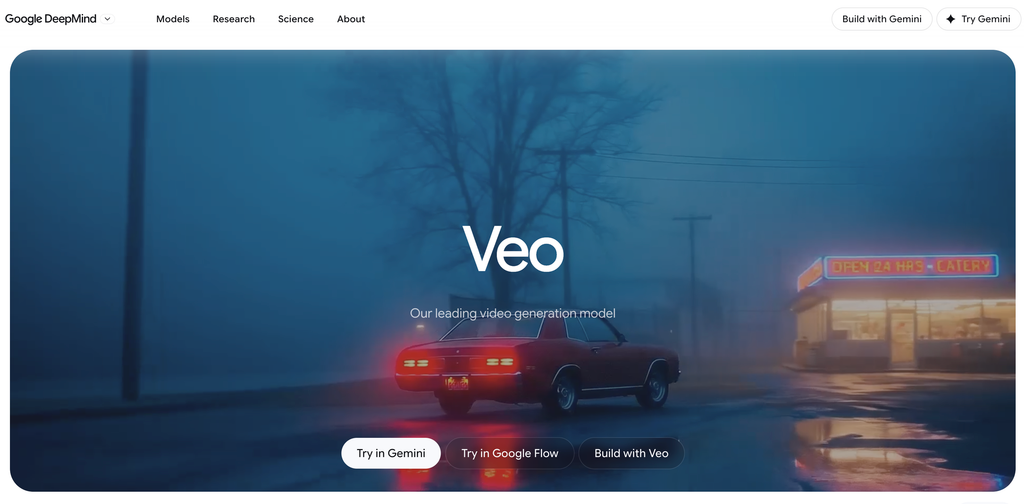
Google Veo is an AI video generation model developed by Google DeepMind. It allows users to generate videos from written descriptions and reference images.
One of its most useful capabilities is its focus on realistic motion, detailed environments, and synchronized audio generation.
For example, a marketing team can describe a product advertisement featuring a person using a smartphone in a modern office. Veo can generate a video based on the prompt, helping the team explore visual concepts without arranging an actual production shoot.
Veo is also available through Google’s creative ecosystem, including Gemini and Flow, depending on subscription and regional availability.
The Veo 3.1 model family offers different generation options, including faster variants for users who want to create videos more efficiently.
Key Features
- Text-to-video generation: Create videos from detailed written prompts.
- Image-to-video generation: Animate existing images and visual references.
- Native audio generation: Generate videos with synchronized dialogue, sound effects, and audio.
- Realistic motion: Create detailed movement and environmental interactions.
- Multiple aspect ratios: Support different video formats, including vertical content.
- Video editing workflows: Use supported Google creative tools to extend and develop video concepts.
- Multiple generation models: Choose between standard, fast, and lighter generation options.
Pricing
Google offers different ways to access Veo:
- Free: Limited access through eligible Google AI experiences.
- Google AI Plus: ₹399/month in India.
- Google AI Pro: ₹1,950/month in India.
- Google AI Ultra: Higher-tier subscription with expanded access.
- Gemini API: Usage-based pricing depending on the Veo model and generation settings.
For API users, Veo 3.1 Standard video generation with audio is listed at $0.40 per second for 720p and 1080p, while the Fast version starts at $0.10 per second for 720p.
Actual access to specific models depends on the subscription and generation limits.
Pros
- Strong realistic video generation.
- Supports synchronized audio generation.
- Text-to-video and image-to-video capabilities.
- Useful for cinematic and promotional content.
- Integration with Google’s creative ecosystem.
Cons
- Video generation can consume credits quickly.
- Availability varies by subscription and region.
- Generated clips may require additional editing.
- Complex prompts do not always produce the exact intended result.
Who Should Use It?
Google Veo is a strong option for creators and businesses that want realistic video generation without traditional filming. It is particularly useful for cinematic concepts, product visuals, advertisements, and creative storytelling.
2. Runway – Best for Professional AI Video Creation
Best for: Filmmakers, video editors, creative agencies, designers, and professional content creators.
Overview
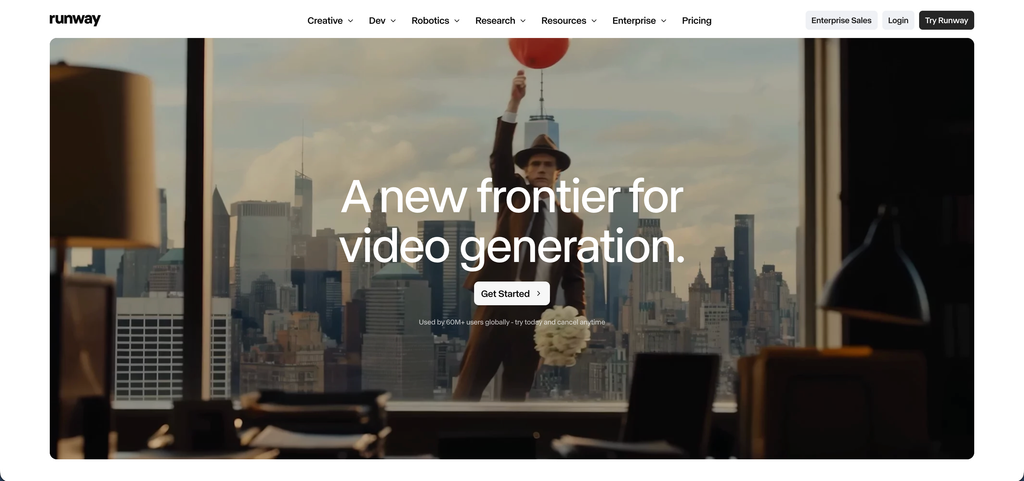
Runway is an AI-powered creative platform focused on video generation, editing, and visual production.
It provides several generative tools that help users create videos from text prompts and images while maintaining greater control over the creative process.
Its Gen-4.5 model focuses on motion quality, visual consistency, and prompt accuracy. Users can describe camera movements, scene composition, and the sequence of actions they want to generate.
Runway is particularly relevant for creative professionals who need more control than a basic text-to-video generator provides.
For example, a video production team can generate individual scenes, experiment with camera movements, and combine the results with traditional editing workflows.
Key Features
- Text-to-video: Generate videos from written descriptions.
- Image-to-video: Animate existing images and reference visuals.
- Generative editing: Modify and develop visual content using AI tools.
- Camera control: Guide camera movement and scene composition.
- Multiple AI models: Access different generation models and creative tools.
- Video extensions: Develop longer sequences using supported workflows.
- Creative workspace: Organize and manage video production projects.
Runway Gen-4.5 supports text-to-video and image-to-video generation, with output durations of 2–10 seconds and several aspect ratios.
Pricing
- Free: 125 one-time credits.
- Standard: $12/month, billed annually.
- Pro: $28/month, billed annually.
- Unlimited: $76/month, billed annually.
- Enterprise: Custom pricing.
The Standard plan includes 625 monthly credits, while Pro and Unlimited provide higher allowances.
Gen-4.5 consumes 12 credits per second of generated video, so a 10-second generation requires 120 credits.
Pros
- Advanced creative controls.
- Useful for professional video workflows.
- Supports multiple aspect ratios.
- Strong text-to-video and image-to-video capabilities.
- Offers different AI generation tools.
Cons
- Credit consumption can be high.
- Beginners may need time to understand the workflow.
- Short generation durations may require multiple clips for longer videos.
- Advanced features require higher subscriptions.
Who Should Use It?
Runway is suitable for filmmakers, video editors, and creative agencies that want greater control over AI-generated scenes. It is particularly useful when AI generation needs to become part of a larger video production workflow.
3. Kling AI – Best for Cinematic Motion and Realistic Video Generation
Best for: Filmmakers, content creators, digital artists, and marketers creating visually engaging videos.
Overview
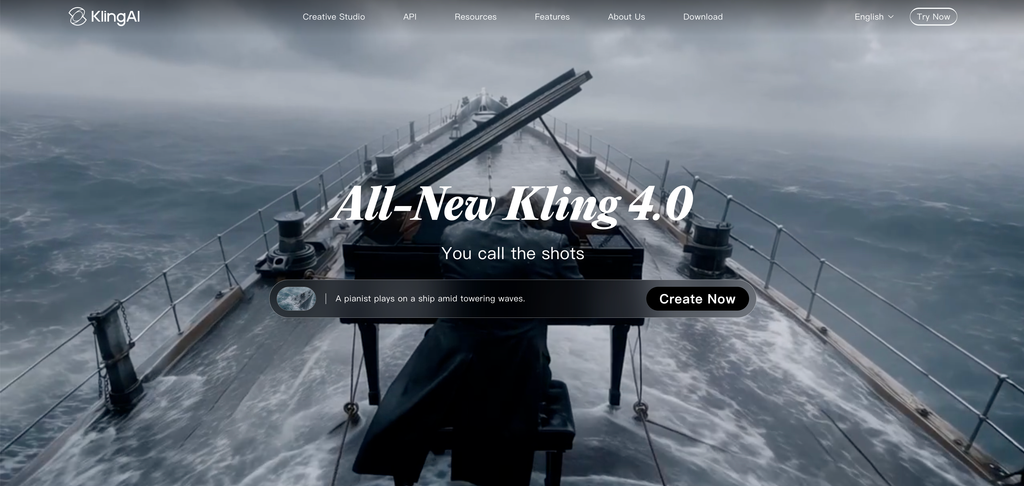
Kling AI is a generative AI platform that focuses on creating videos from text prompts and images.
It has become a popular option for users who want realistic character movement, cinematic scenes, and visually detailed video content.
One of Kling’s strengths is its ability to generate motion-based scenes. Users can describe actions, environments, and camera movements to create videos that look more dynamic than simple animated images.
The platform also offers tools for image generation, motion control, and avatar-based content.
For example, a creator can upload a product image and generate a short promotional scene showing the product in a lifestyle environment.
Key Features
- Text-to-video generation: Turn written prompts into video clips.
- Image-to-video: Animate existing images.
- Motion control: Guide subject movement and visual actions.
- AI avatars: Create presenter-style video content.
- Cinematic scenes: Generate detailed environments and camera movements.
- Multiple video models: Access different models for generation quality and speed.
- High-resolution exports: Supported subscription tiers offer HD and 4K generation options.
Pricing
Kling offers free access with limited generation credits and paid subscriptions.
Published subscription options include:
- Free: Limited free credits.
- Standard: Approximately $10/month.
- Pro: Approximately $37/month.
- Premier: Approximately $92/month.
The platform also advertises entry-level subscriptions from $6.99, with prices depending on billing options and promotional availability.
Credit allowances and generation costs vary by model and video settings.
Pros
- Useful for realistic character motion.
- Supports image-to-video generation.
- Multiple creative generation models.
- Suitable for cinematic and social media content.
- Offers motion-control capabilities.
Cons
- Credit consumption varies significantly.
- Generation results may require multiple attempts.
- Complex character interactions can be inconsistent.
- Some advanced features require paid subscriptions.
Who Should Use It?
Kling AI is a useful choice for creators who want cinematic visuals, realistic movement, and image-to-video generation. It is particularly relevant for creative campaigns and short-form video content.
4. Seedance – Best for Multi-Input AI Video Generation
Best for: Creative professionals, filmmakers, content creators, and marketing teams producing AI-generated scenes.
Overview
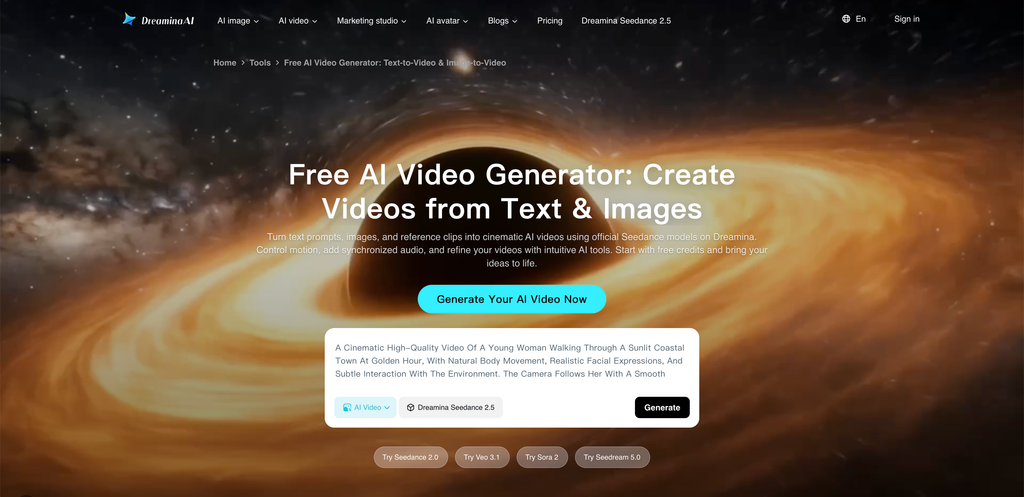
Seedance is an AI video generation model family available through creative platforms such as Dreamina.
It allows users to generate videos using text prompts and visual references. Its multi-input capabilities make it useful for creating scenes with more specific creative direction.
Rather than relying only on written descriptions, users can provide images and other references to guide the generated video.
This can be helpful when a project requires a particular character, product, visual style, or scene composition.
For example, a marketing team can provide a product photograph and a reference image showing the desired environment. The AI can use those inputs to generate a promotional video concept.
Seedance is also relevant for users who want to explore more advanced video-generation workflows.
Key Features
- Text-to-video generation: Create video scenes using written prompts.
- Image-to-video: Animate reference images.
- Multi-input generation: Use supported visual and other reference inputs.
- Scene consistency: Guide visual appearance across generated sequences.
- Audio generation: Access supported audio and lip-sync workflows.
- Video extension: Extend generated scenes.
- Resolution controls: Generate and upscale videos using available settings.
Seedance 2.0 and 2.5 are available through Dreamina’s creative platform, with access and generation limits depending on the plan.
Pricing
Seedance access through Dreamina uses monthly credit-based subscriptions.
Published plans include:
- Basic: Approximately $15/month.
- Standard: Approximately $36/month.
- Advanced: Approximately $159/month.
- Ultra: Higher-volume annual subscription.
Promotional discounts can change the first-month price, so check the renewal amount before subscribing.
The number of videos you can generate depends on the model, resolution, duration, and credit consumption.
Pros
- Supports different creative inputs.
- Useful for image-to-video generation.
- Suitable for detailed visual concepts.
- Offers audio and lip-sync workflows.
- Multiple generation and quality options.
Cons
- Credit requirements vary by generation model.
- Advanced features may consume substantial credits.
- Access can differ between platforms.
- Users need to understand generation limits before choosing a plan.
Who Should Use It?
Seedance is worth considering for creative professionals and marketing teams that want more control over AI-generated scenes. It is particularly useful when reference images and detailed creative direction are important.
5. Luma Dream Machine – Best for Cinematic Video and Creative Storytelling
Best for: Filmmakers, designers, creative agencies, and content creators.

Overview
Luma Dream Machine is an AI video generation platform developed by Luma AI.
It focuses on generating videos from text prompts and images while providing creative control over scenes, movement, and visual composition.
The platform is particularly relevant for people who want to develop cinematic concepts, animated scenes, and creative visual sequences.
Its Ray model family and additional creative tools support video generation and editing workflows.
For example, a filmmaker can create a reference image of a particular environment and use it to generate a moving scene with a specific camera direction.
Luma also offers access to selected third-party image and video models through its broader creative platform.
Key Features
- Text-to-video: Generate video clips from prompts.
- Image-to-video: Animate existing visual assets.
- Camera movement: Create scenes with guided visual movement.
- Video editing: Modify and develop generated footage.
- Creative references: Use images to guide visual outputs.
- Video extensions: Develop scenes using supported workflows.
- Model selection: Access Luma and selected third-party models.
Pricing
Luma offers several subscription plans:
- Plus: $30/month.
- Pro: $90/month.
- Ultra: $300/month.
- Team and Enterprise: Custom pricing.
Annual billing offers discounts compared with monthly subscriptions.
The Plus plan includes access to Luma and selected third-party models, while higher plans provide increased usage allowances.
Pros
- Useful for cinematic video concepts.
- Supports image-to-video generation.
- Provides creative editing workflows.
- Access to multiple video models.
- Suitable for visual storytelling.
Cons
- Higher subscription tiers can be expensive.
- Generation limits depend on the selected model.
- Complex scenes may require several attempts.
- Beginners may need practice with prompts and references.
Who Should Use It?
Luma Dream Machine is suitable for filmmakers, designers, and creative professionals who want to experiment with cinematic AI-generated video and visual storytelling.
6. Pika – Best for Creative Social Media Videos
Best for: Social media creators, influencers, marketers, and users creating short-form videos.
Overview
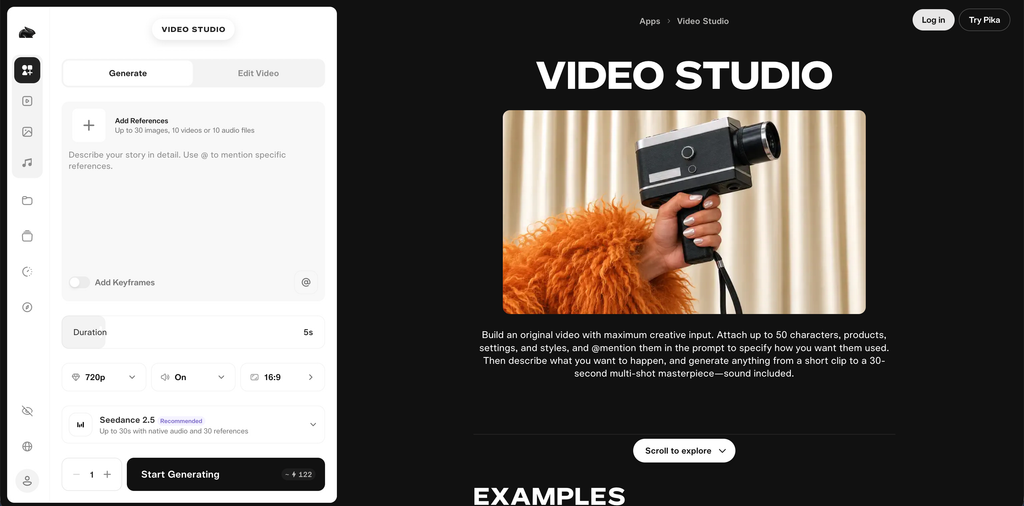
Pika is an AI video generation platform designed to make creative video production more accessible.
It offers text-to-video and image-to-video generation alongside several effects and transformation tools.
One of its distinguishing features is its focus on creative effects. Users can transform visual elements, animate images, and experiment with different video styles.
For example, a social media creator can upload a static image and use AI effects to turn it into an engaging short video.
Pika is particularly useful when the goal is to produce attention-grabbing content rather than a long, professionally structured video.
Key Features
- Text-to-video: Generate videos from written descriptions.
- Image-to-video: Animate static images.
- Pikascenes: Combine visual elements into creative scenes.
- Pikadditions: Add elements to generated video content.
- Pikaswaps: Replace selected visual elements.
- Pikatwists: Apply creative video transformations.
- Multiple models: Access different generation options.
Pricing
Pika offers the following subscriptions:
- Free: Limited access and credit packs.
- Starter: $10/month or $8/month with annual billing.
- Creator: $35/month or $28/month with annual billing.
- Fancy: Starts at approximately $95/month, with higher usage tiers available.
The Starter plan includes 900 monthly credits, while Creator includes 3,150 credits and a commercial licence.
The Free and Starter plans have different commercial usage restrictions, so check the licence before using generated videos in paid campaigns.
Pros
- Easy to experiment with.
- Creative effects and transformations.
- Useful for short-form social content.
- Supports image-to-video workflows.
- Different subscription options.
Cons
- Not designed for every professional video production workflow.
- Credit limits affect output volume.
- Some effects may require multiple attempts.
- Commercial licensing varies by subscription.
Who Should Use It?
Pika is a good option for social media creators and marketers who want to produce short, creative videos from images and prompts. It is particularly useful for experimental content and visual effects.
7. Adobe Firefly – Best for Professional Video and Creative Workflows
Best for: Graphic designers, video editors, creative agencies, and marketing teams.
Overview
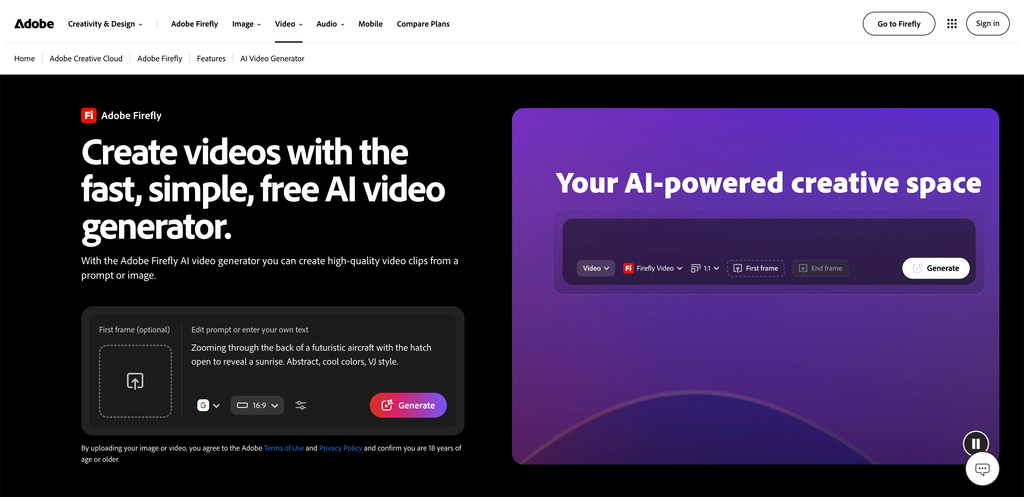
Adobe Firefly is an AI-powered creative platform that supports image, video, and audio generation.
Its video generation capabilities allow users to create short video clips using written prompts and reference images.
One of Adobe Firefly’s main advantages is its connection with the wider Adobe creative ecosystem.
Users can generate video concepts and incorporate them into broader creative workflows involving applications such as Premiere Pro and other Adobe tools.
For example, a marketing team can generate a short background scene for an advertisement, export the footage, and continue editing it alongside product shots, voiceovers, and brand graphics.
Adobe also provides access to selected partner AI models through Firefly.
Key Features
- Text-to-video generation: Generate video clips from written prompts.
- Image-to-video: Animate existing images.
- Generative editing: Modify visual content using AI tools.
- Adobe integration: Continue creative work in supported Adobe applications.
- Multiple AI models: Access selected partner generation models.
- Video translation: Translate supported audio and video content.
- Creative collaboration: Develop visual concepts using Firefly Boards.
Pricing
Adobe Firefly offers several subscriptions:
- Free: Limited generative access.
- Firefly Standard: $9.99/month.
- Firefly Pro: $19.99/month.
- Firefly Pro Plus: $49.99/month.
- Firefly Premium: $199.99/month.
The plans include different monthly generative credit allowances. Video generation and other premium features consume credits.
The Firefly Standard plan includes 2,000 monthly generative credits, while higher subscriptions provide larger allowances.
Pros
- Strong integration with Adobe’s creative ecosystem.
- Useful for professional video workflows.
- Supports text-to-video and image-to-video.
- Multiple AI generation models.
- Suitable for marketing and design teams.
Cons
- Video generation consumes generative credits.
- Advanced features require higher subscriptions.
- Some workflows still require professional editing.
- Different models can have different usage conditions.
Who Should Use It?
Adobe Firefly is particularly useful for designers, marketing teams, and video editors who already use Adobe applications. It provides a convenient way to introduce AI-generated video into an existing creative workflow.
8. HeyGen – Best for AI Avatar and Presenter Videos
Best for: SaaS companies, businesses, marketing teams, educators, and international brands.
Overview
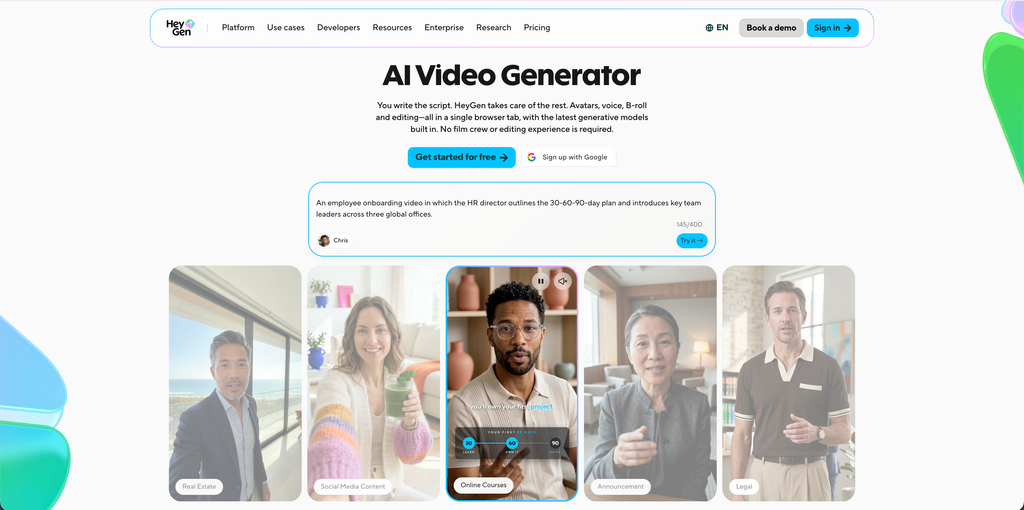
HeyGen is an AI video creation platform focused on digital presenters, avatars, and multilingual video production.
Instead of generating only cinematic scenes, HeyGen allows users to create videos featuring realistic digital presenters who deliver written scripts.
This makes it useful for businesses that regularly produce product explanations, promotional content, tutorials, and educational videos.
For example, a SaaS company can create a product introduction featuring an AI presenter explaining how its software works. The same content can then be adapted for international audiences using video translation and voice capabilities.
HeyGen also provides AI video generation features that extend beyond traditional avatar-based content.
Key Features
- AI avatars: Choose from a library of digital presenters.
- Custom avatars: Create personalized digital versions of authorized presenters.
- Text-to-video: Turn written scripts into presenter-led videos.
- Voice cloning: Generate speech using supported voice-cloning features.
- Video translation: Adapt videos into multiple languages.
- AI video generation: Create video content using supported generative models.
- Brand customization: Maintain consistent branding across business videos.
HeyGen supports more than 175 languages and dialects on eligible paid plans.
Pricing
- Free: $0/month, with three videos per month.
- Creator: $29/month.
- Pro: $49/month.
- Business: $149/month.
- Enterprise: Custom pricing.
The Creator plan includes 600 credits and 1080p exports. Pro provides 1,000 credits and supports 4K exports.
Pros
- Realistic AI presenters.
- Useful multilingual video capabilities.
- Custom avatar and voice options.
- Suitable for product explainers.
- No need to record every presenter-led video manually.
Cons
- Credit consumption depends on the selected AI model.
- Not ideal for every cinematic video requirement.
- Advanced features require paid subscriptions.
- Generated speech and presenter movements may need review.
Who Should Use It?
HeyGen is a strong choice for SaaS businesses, marketing teams, and international companies that need presenter-led videos, product demonstrations, and localized promotional content.
9. Synthesia – Best for Professional Business and Training Videos
Best for: B2B companies, enterprise teams, educators, HR departments, and corporate communication teams.
Overview
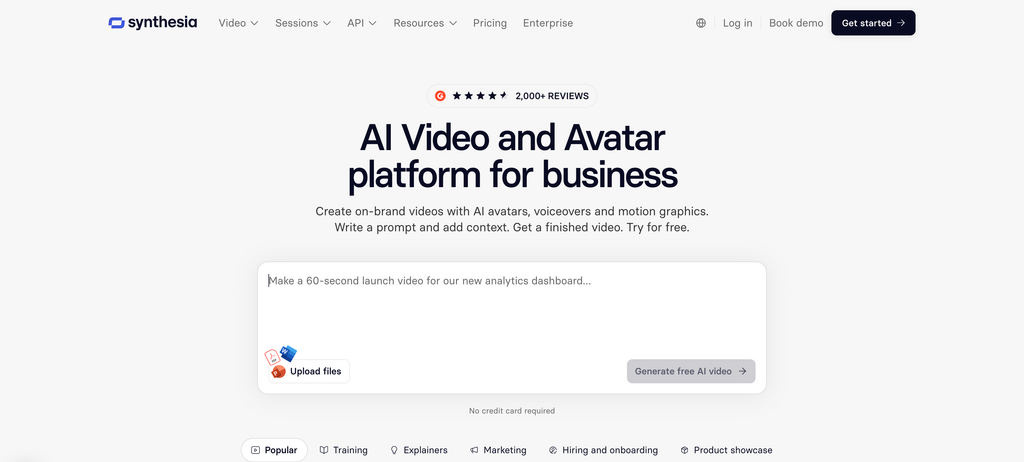
Synthesia is an AI video platform focused on creating professional videos using digital avatars and AI-generated voiceovers.
It allows users to turn written scripts and other source materials into structured videos without organizing a traditional filming session.
The platform is particularly useful for business communication, employee training, onboarding, educational content, and product explanations.
For example, a software company can create a series of product tutorials featuring an AI presenter explaining different platform features. The videos can then be translated into other languages for international customers.
Synthesia also offers interactive video capabilities and collaboration features for teams.
Key Features
- AI avatars: Create videos using digital presenters.
- Custom avatars: Develop personalized presenters.
- Script-to-video: Convert written scripts into videos.
- AI voiceovers: Generate spoken narration.
- Video translation: Localize content for international audiences.
- Interactive videos: Add supported interactive elements.
- Team collaboration: Manage video projects across teams.
- AI Video Assistant: Generate video drafts using prompts and source material.
Pricing
- Basic: Free.
- Starter: $29/month, billed monthly, or $18/month with annual billing.
- Pro: $89/month, billed monthly, or $64/month with annual billing.
- Enterprise: Custom pricing.
The Starter plan includes 1,250 additional monthly credits, while Pro provides 6,000 additional credits. Every plan also includes its standard monthly allowances.
Credit consumption depends on video generation, dubbing, and other AI features.
Pros
- Professional AI presenter videos.
- Useful for business communication.
- Supports multiple languages.
- Interactive video capabilities.
- Team collaboration features.
Cons
- Less suitable for cinematic storytelling.
- Credit usage can limit production volume.
- Presenter-led formats may not suit every advertisement.
- Advanced features require higher subscriptions.
Who Should Use It?
Synthesia is particularly useful for B2B businesses, SaaS companies, and enterprise teams that need professional product explainers, training videos, and localized business communication.
10. InVideo AI – Best for Creating Complete Videos From Text Prompts
Best for: Beginners, content creators, small businesses, marketers, and YouTube creators.
Overview
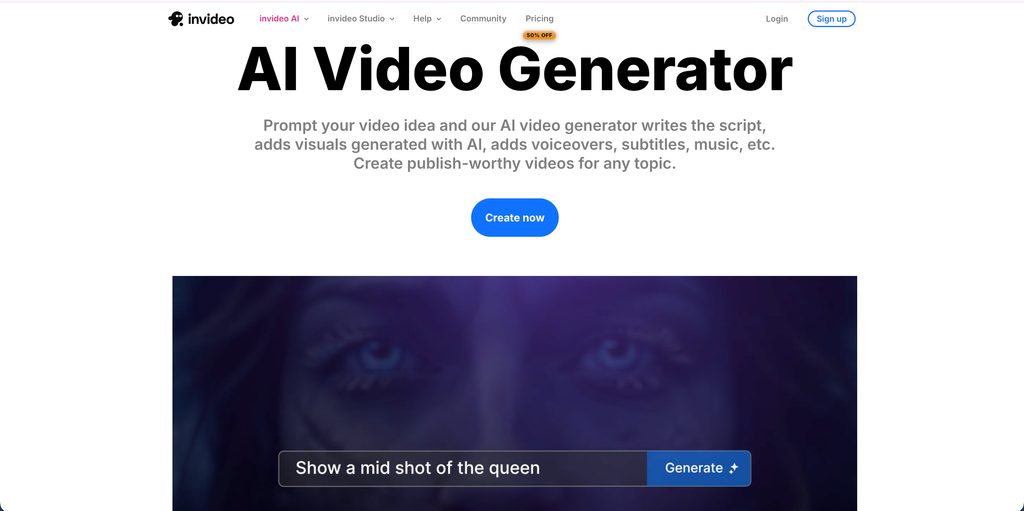
InVideo AI is an AI-powered video creation platform that helps users turn written prompts into complete video drafts.
Instead of manually creating every scene, users can describe their video requirements and let the platform generate a script, select footage, add voiceovers, and assemble the content.
For example, a business owner can enter a prompt describing a new product, its target audience, key benefits, and preferred video style. InVideo AI can use that information to create an initial promotional video.
The generated video can then be edited to improve the script, replace scenes, adjust narration, and refine the final presentation.
InVideo also provides access to different generative AI models through its creative workflow.
Key Features
- Prompt-to-video generation: Turn written descriptions into videos.
- AI scriptwriting: Generate video scripts from ideas.
- Stock media library: Access stock footage and images.
- AI voiceovers: Add narration to videos.
- Generative video models: Access supported AI video-generation models.
- Video editing: Modify scenes and visual elements.
- Social media formats: Prepare content for different publishing platforms.
- AI-assisted workflows: Generate and edit videos using natural-language instructions.
Pricing
InVideo offers different subscriptions based on generation volume:
- Plus: $20/month.
- Max: $100/month.
- Generative: $200/month.
- Elite: $1,000/month.
The plans provide different credit allowances and access to AI generation models.
The actual number of videos you can produce depends on the models used, video duration, and number of revisions.
Pros
- Easy prompt-based video creation.
- AI scriptwriting and voiceovers.
- Useful for social media and promotional videos.
- Includes stock footage.
- Suitable for beginners.
Cons
- Credit usage can increase production costs.
- Generated footage may need manual editing.
- Stock-based videos can look generic without customization.
- Higher-volume generation requires more expensive subscriptions.
Who Should Use It?
InVideo AI is a useful option for content creators, small businesses, and marketers who want to produce complete videos without learning complicated editing software.
How to Choose the Best AI Video Generator
Choosing an AI video generator requires more than comparing subscription prices. The right platform should match your video format, creative requirements, production volume, and budget.
Here are five important factors to consider before selecting a tool.
1. Understand the Type of Video You Want to Create
Start by identifying your primary video requirement.
If you want realistic cinematic scenes, Google Veo, Kling AI, and Runway are worth considering.
For AI presenter videos, HeyGen and Synthesia offer more relevant features.
If you need creative social media videos, Pika can be useful. For complete promotional videos from written prompts, InVideo AI is a practical option.
Selecting a tool based on your actual video format can save time and unnecessary subscription costs.
2. Compare Credit Limits and Video Generation Costs
Most AI video generators use credit-based pricing.
A subscription may look affordable initially, but generating longer videos, higher-resolution footage, and multiple variations can consume credits quickly.
Before subscribing, check:
- Monthly generation credits.
- Cost per generated video.
- Supported video duration.
- Resolution limits.
- Additional credit prices.
- Whether unused credits roll over.
For businesses producing videos regularly, calculating the cost per usable video is more useful than comparing monthly subscription prices alone.
3. Check Video Quality and Editing Flexibility
Video quality depends on more than resolution.
Look at motion consistency, lighting, character appearance, camera movement, audio quality, and how accurately the platform follows your instructions.
Also consider whether you can edit the generated footage after creation.
Some tools offer advanced editing controls, while others focus mainly on generating a first draft.
If you need professional marketing videos, the ability to refine individual scenes can be just as important as generation quality.
4. Consider Platform Compatibility
Your target publishing platform should influence your choice.
For example:
- YouTube: Consider landscape videos, longer scenes, and clear audio.
- Instagram Reels: Prioritize vertical 9:16 formats and short-form storytelling.
- TikTok: Look for quick generation, engaging visuals, and flexible creative variations.
- Facebook Ads: Consider different aspect ratios and multiple advertising creatives.
- LinkedIn: Professional presenters and product demonstrations may be more appropriate.
Always check the export settings before publishing.
5. Review Commercial Usage and Privacy Policies
Businesses should pay attention to commercial usage rights before using AI-generated videos in advertising campaigns.
Check whether your subscription allows commercial use, whether generated content can be used in paid advertisements, and whether uploaded images or reference videos are stored or reused.
If your videos include AI avatars, cloned voices, or recognizable individuals, make sure you have the appropriate permissions.
Also review any disclosure requirements that apply to AI-generated advertising in your target market.
FAQs
Some of the best AI video generators in 2026 include Google Veo, Runway, Kling AI, Seedance, Luma Dream Machine, Pika, Adobe Firefly, HeyGen, Synthesia, and InVideo AI.
Each platform serves different requirements. Google Veo is useful for realistic video generation, Runway for creative control, HeyGen for AI presenters, and InVideo AI for prompt-based video production.
Google Veo, Runway, Kling AI, Pika, HeyGen, and Synthesia offer different forms of free access or limited generation allowances.
However, free plans often restrict video duration, resolution, credits, or commercial usage.
Check the current subscription details before choosing a free tool for regular production.
Google Veo, Kling AI, Runway, and Seedance are worth considering for realistic AI-generated video content.
The final output depends on the model, prompt quality, reference images, generation settings, and type of scene.
It is useful to test the same prompt across multiple platforms before selecting one for a professional project.
Yes. Many modern AI video generators support image-to-video generation.
Users can upload a photograph, product image, illustration, or reference visual and instruct the AI to animate it.
Google Veo, Runway, Kling AI, Luma Dream Machine, and Pika offer image-to-video workflows.
The best option depends on the type of marketing content.
Creatively focused tools such as Google Veo, Runway, and Kling AI are useful for visual advertisements. HeyGen and Synthesia are better suited to presenter-led promotional videos, while InVideo AI is useful for creating complete videos from written prompts.
For social media content, Pika and InVideo AI are also worth exploring.
Yes. AI video generators can help create YouTube videos, product explainers, promotional clips, educational videos, and visual sequences.
InVideo AI is useful for generating complete video drafts, while HeyGen and Synthesia are suitable for presenter-led content.
However, longer YouTube videos may still require manual editing, storytelling, voiceovers, and scene arrangement.
Yes, many AI video platforms offer commercial usage options through eligible subscriptions.
However, commercial rights differ across platforms, models, and subscription tiers.
Before publishing advertisements, review the licensing terms, privacy policies, and restrictions related to AI-generated characters, voices, music, and third-party assets.
Not completely.
AI video generators can reduce production time and help teams create initial footage, promotional clips, and alternative creative concepts.
However, professional video production still requires storytelling, editing decisions, sound design, brand consistency, and creative direction.
AI tools are most useful when they support the production process rather than replace every aspect of it.
Conclusion
AI video generators have changed how businesses, marketers, and content creators approach video production.
From cinematic scenes to AI presenter videos, these platforms make it possible to create different types of visual content without arranging a traditional production shoot for every project.
However, there is no single platform that works best for every requirement.
Google Veo is a strong option for realistic video generation, while Runway provides advanced creative controls. Kling AI and Seedance are useful for cinematic motion and reference-based workflows. Luma Dream Machine focuses on creative storytelling, and Pika offers interesting options for short-form content.
For business communication and presenter-led videos, HeyGen and Synthesia are worth considering. Adobe Firefly fits professional creative workflows, while InVideo AI makes prompt-based video production more accessible.
Before choosing a subscription, test the platform using your actual video requirements. Compare generation quality, editing flexibility, credit consumption, and commercial usage terms.
The goal should not simply be to generate more videos. It should be to create useful, engaging, and consistent video content that supports your marketing, communication, or creative objectives.
For more insights into AI tools, social media marketing, and digital content creation, explore Socialthink.