

10 Best Video Hosting Platforms for Businesses in 2026
TL;DR
The best video hosting platforms for businesses in 2026 include Vimeo, Wistia, Gumlet, SproutVideo, Vidyard, Brightcove, Kaltura, Dacast, Cloudflare Stream, and Bunny Stream.
Vimeo is a versatile choice for businesses that need professional video hosting and sharing. Wistia is designed for marketing teams that want detailed viewer analytics and lead-generation features. Gumlet offers video hosting, security, and delivery features with transparent pricing, while SproutVideo focuses on privacy and access controls. Vidyard is useful for sales teams, and Brightcove and Kaltura serve larger enterprise requirements. Dacast focuses on live streaming, while Cloudflare Stream and Bunny Stream are suitable for businesses that need developer-friendly video infrastructure.
The right platform depends on how your business plans to store, publish, secure, distribute, and measure its video content.
Introduction
Video has become an important part of modern business communication.
Companies use videos for product demonstrations, customer onboarding, employee training, marketing campaigns, sales presentations, webinars, and customer support. A SaaS company might host product tutorials on its website, while an e-commerce brand may use product videos to help customers understand what they are buying.
However, uploading videos directly to a website is not always the best approach.
Large video files can affect page performance, consume bandwidth, and create additional work for development teams. Businesses also need to consider privacy, playback quality, viewer analytics, and how their videos appear across different devices.
This is where professional video hosting platforms become useful.
A business video hosting platform stores video content and delivers it to viewers through an optimized video player and content delivery infrastructure. Depending on the service, it may also provide custom branding, access restrictions, analytics, live streaming, integrations, and APIs.
But not every platform is built for the same purpose. Some focus on marketing and lead generation, while others are designed for enterprise video libraries, secure training content, or developer-led streaming applications.
In this guide, we compare ten video hosting platforms for businesses in 2026, including their key features, pricing, advantages, limitations, and ideal use cases.
Quick Comparison: Best Video Hosting Platforms for Businesses
| Platform | Best For | Standout Feature | Starting Price |
| Vimeo | General business video hosting | Customizable player and video collaboration | $12/seat/month |
| Wistia | Video marketing | Viewer analytics, forms, and CTAs | Free; Business $79/month |
| Gumlet | Secure hosting and video delivery | Adaptive streaming, security, and APIs | Free; Creator $6/month |
| SproutVideo | Private business video hosting | Password protection and access controls | $12/month |
| Vidyard | Sales and marketing teams | Personalized videos and viewer insights | Free; Starter $59/seat/month annually |
| Brightcove | Large enterprises and media companies | Enterprise video delivery and streaming | Custom pricing |
| Kaltura | Enterprise video management | Flexible video platform and integrations | Custom pricing |
| Dacast | Live streaming and video monetization | Live and on-demand video hosting | $39/month, billed annually |
| Cloudflare Stream | Developers and SaaS platforms | API-based video storage and delivery | $5 per 1,000 stored minutes |
| Bunny Stream | Cost-conscious video delivery | Usage-based storage and CDN pricing | Usage-based |
Pricing is based on published vendor information checked on October 30, 2026. Prices may vary by billing frequency, region, usage, and plan availability. Enterprise platforms may require a custom quotation.
1. Vimeo – Best for General Business Video Hosting
Best for: Small businesses, creative teams, marketing departments, and companies that need professional video sharing.
Overview
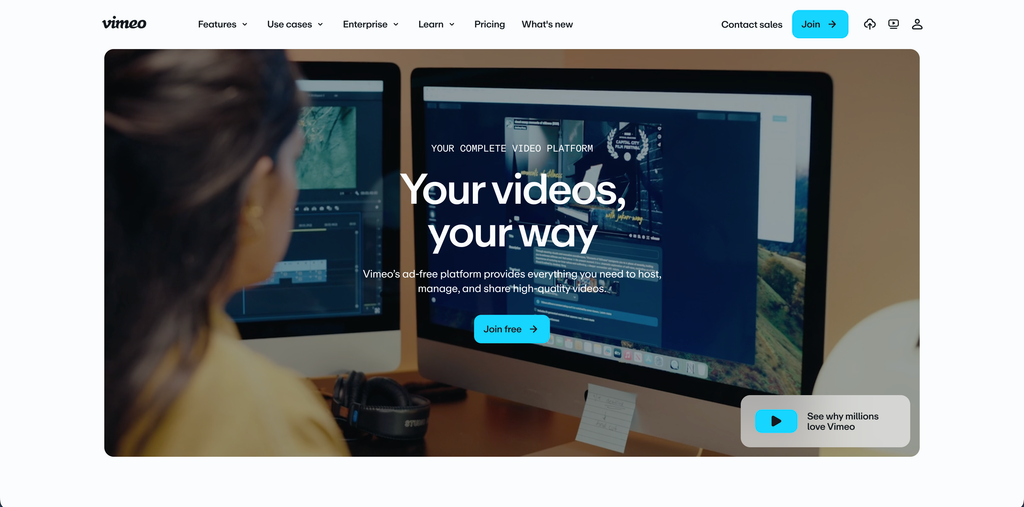
Vimeo is one of the established platforms for hosting, managing, and sharing professional video content.
Unlike public video-sharing platforms that focus heavily on audience discovery, Vimeo provides businesses with more control over how their videos are presented and embedded.
Companies can upload videos, organize their content into folders, customize the video player, and share videos through private or unlisted links. Its higher-tier plans also support branding, lead capture, live events, and collaboration features.
For example, a SaaS company can host product demonstrations on Vimeo and embed them on its website without sending visitors to a separate video-sharing platform.
Vimeo is also useful for teams that regularly exchange video drafts and collect feedback from clients or colleagues.
Key Features
- Customizable video player: Adjust the appearance of the player to match your website and brand.
- Private video sharing: Use password protection and unlisted links to control access.
- Video analytics: Understand engagement and how viewers interact with hosted content.
- Video collaboration: Organize projects, share drafts, and collect feedback.
- Lead capture: Add forms and calls to action on supported plans.
- Live streaming: Host webinars and business events on eligible subscriptions.
- Team management: Manage users, folders, and video libraries.
Pricing
Vimeo offers several business-oriented plans:
- Starter: $12 per seat/month.
- Standard: $25 per seat/month.
- Advanced: $75 per seat/month.
- Enterprise: Custom pricing.
The plans provide different storage allowances, team seats, branding options, privacy controls, and live-streaming features. Enterprise includes additional security and administration capabilities.
Pros
- Professional, ad-free video player.
- Useful video management and collaboration features.
- Supports private sharing and embedded videos.
- Branding and lead-capture options.
- Live streaming on higher plans.
Cons
- Advanced features require more expensive plans.
- Pricing increases with additional team seats.
- Storage and bandwidth allowances should be checked before committing.
- Not primarily designed as a developer-focused video infrastructure service.
Who Should Use It?
Vimeo is a good option for businesses that need a professional video library, branded embeds, and straightforward video collaboration. It works particularly well for marketing teams and creative agencies.
2. Wistia – Best for Video Marketing and Lead Generation
Best for: B2B companies, SaaS businesses, marketing teams, and demand-generation professionals.
Overview
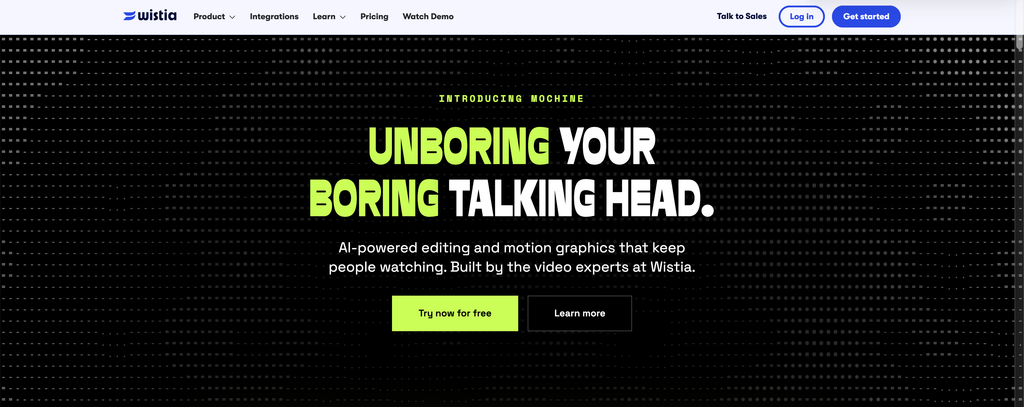
Wistia is a video hosting and marketing platform built around helping businesses understand how audiences interact with their video content.
Its focus goes beyond storing and playing videos. The platform provides marketing features that help companies use video as part of their lead-generation and conversion strategies.
Businesses can embed videos on landing pages, product pages, and blog posts while tracking viewer engagement.
For example, a SaaS company can place a product demonstration on its pricing page and use video analytics to understand whether visitors watch the entire presentation or leave after the first few seconds.
Wistia also offers forms, calls to action, branded video experiences, and integrations with marketing platforms.
Key Features
- Custom video player: Remove platform branding and create a more consistent viewing experience.
- Viewer analytics: Track video engagement and understand audience behavior.
- Heatmaps: See which sections of a video viewers watch, skip, or replay.
- Lead capture forms: Collect contact information through supported video experiences.
- Calls to action: Encourage viewers to book a demo, visit a page, or take another action.
- Marketing integrations: Connect video engagement data with supported CRM and marketing automation tools.
- Video channels: Organize content into collections and playlists.
- Webinars: Support webinar-related marketing workflows.
Pricing
Wistia offers the following plans:
- Free: $0/month.
- Business: $79/month, billed annually.
- Business + Signals: $329/month, billed annually.
- Enterprise: Custom pricing.
The Free plan includes 25 GB of storage and one user. Business adds at least 250 GB of storage, additional users, advanced analytics, forms, and branding controls.
Business + Signals adds marketing automation capabilities, including lead and viewer engagement data.
Pros
- Designed specifically for video marketing.
- Detailed viewer engagement analytics.
- Lead capture forms and calls to action.
- Marketing automation integrations.
- Professional video player and branding options.
Cons
- Advanced marketing features can be expensive.
- Not the cheapest option for simple video storage.
- Storage and usage allowances vary by plan.
- Less suitable for businesses that primarily need low-level streaming infrastructure.
Who Should Use It?
Wistia is particularly useful for SaaS companies and B2B marketing teams that use video to generate leads, explain products, and improve website engagement.
3. Gumlet – Best for Secure Video Hosting and Delivery
Best for: SaaS companies, e-learning businesses, marketing teams, and organizations that need scalable video delivery.
Overview
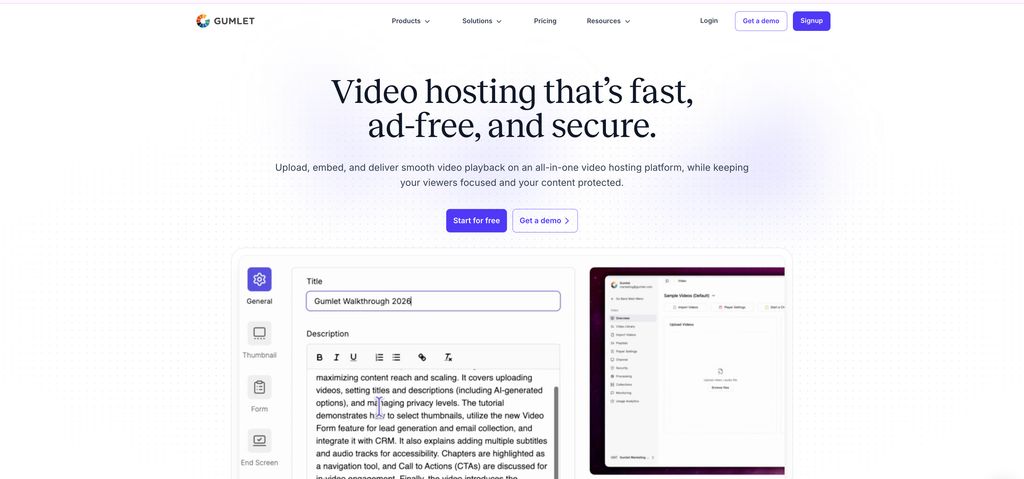
Gumlet is a video hosting and delivery platform that helps businesses store, optimize, secure, and stream video content.
It combines video storage, encoding, adaptive streaming, and content delivery features in one platform.
One of its advantages is that businesses can use it without building their own video infrastructure. Teams can upload content, generate playback links, embed videos on websites, and manage video delivery through its platform.
Gumlet also offers security features such as password protection, geo-blocking, domain restrictions, signed URLs, and optional DRM.
For example, a SaaS company can host its product tutorials and customer onboarding videos through Gumlet, while an online education business can use access controls to protect paid video lessons.
Key Features
- Adaptive bitrate streaming: Automatically adjusts playback quality based on the viewer’s internet connection.
- Video optimization: Encodes videos for efficient delivery across devices.
- Global CDN delivery: Delivers video content through a distributed content delivery network.
- Security controls: Supports password protection, geo-blocking, domain restrictions, and signed URLs.
- DRM protection: Offers Widevine and FairPlay DRM as an optional add-on on eligible plans.
- Video analytics: Understand playback and viewer engagement.
- API and integrations: Connect video hosting to websites, apps, and other business systems.
- AI subtitles: Generate subtitles and support additional video-management workflows.
Pricing
Gumlet provides transparent video hosting plans:
- Free: $0/month.
- Creator: $6/month, billed annually.
- Growth: $19/month, billed annually.
- Business: $99/month, billed annually.
- Enterprise: Custom pricing.
The Creator plan includes 1,000 storage minutes and 3,000 GB of bandwidth. Growth adds features such as CRM integrations and private channels, while Business provides additional storage, dynamic watermarking, and custom viewer analytics.
DRM is available as a $99/month add-on on eligible paid plans.
Pros
- Transparent pricing.
- Adaptive video delivery and optimization.
- Useful privacy and access-control features.
- API support for websites and applications.
- Optional DRM protection.
- Suitable for SaaS and e-learning video libraries.
Cons
- Some advanced security capabilities require additional payment.
- Usage allowances need to be monitored.
- Businesses may need development resources for more customized integrations.
- Marketing automation features are not as central to the platform as they are with Wistia.
Who Should Use It?
Gumlet is worth considering for businesses that need secure video hosting, optimized playback, and flexible delivery without building their own streaming infrastructure. It is particularly relevant to SaaS products, online courses, and businesses that embed videos on their websites.
4. SproutVideo – Best for Private and Secure Business Video Hosting
Best for: Small and medium-sized businesses, training departments, agencies, and organizations with private video libraries.
Overview
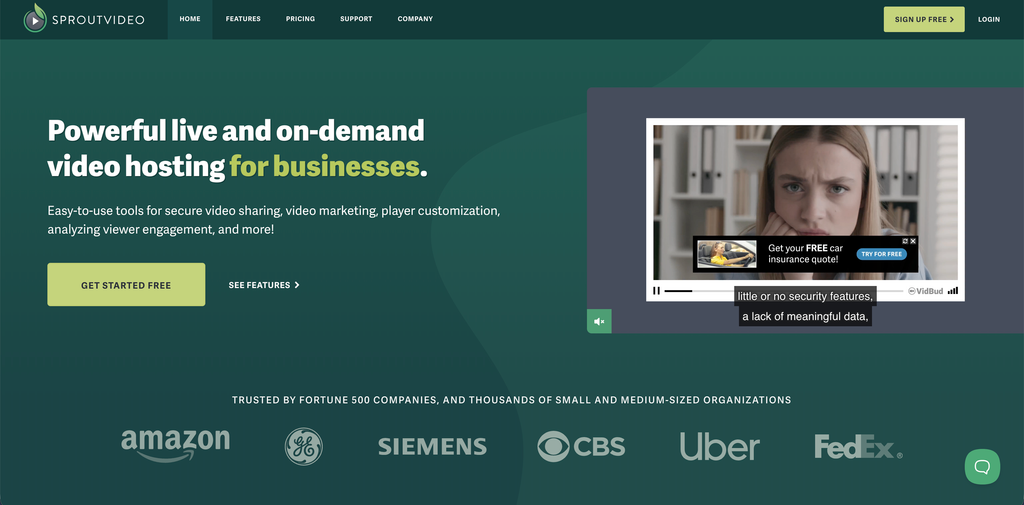
SproutVideo is a video hosting platform designed for businesses that want more control over their video content.
It provides tools for hosting, sharing, embedding, and protecting videos. Companies can use the platform to manage internal training videos, customer education content, private presentations, and marketing material.
Its security features make it particularly useful for organizations that do not want every hosted video to be publicly accessible.
For example, a company can create an internal video library for employee training and restrict access to approved viewers.
SproutVideo also offers a customizable video website, analytics, and live-streaming capabilities.
Key Features
- Private video hosting: Share videos with selected viewers.
- Password protection: Restrict access to protected content.
- Viewer login protection: Use restricted viewer access on eligible plans.
- Domain restrictions: Control which websites can embed hosted videos.
- Video analytics: Track video engagement and performance.
- Customizable video website: Create a branded environment for video content.
- Dynamic watermarks: Help discourage unauthorized redistribution on supported plans.
- Live streaming: Host live video content alongside on-demand videos.
Pricing
SproutVideo offers four main plans:
- Seed: $12/month, billed annually.
- Sprout: $35/month, billed annually.
- Tree: $72/month, billed annually.
- Forest: $195/month, billed annually.
Monthly billing is more expensive. A 30-day free trial is available.
Higher plans provide more storage and bandwidth, additional team seats, advanced security options, and reporting features.
Pros
- Strong privacy and access controls.
- Suitable for private business video libraries.
- Customizable video website.
- Live and on-demand hosting.
- Watermarking options on higher plans.
Cons
- Pricing increases with storage and bandwidth requirements.
- Advanced security features require higher plans.
- Not as focused on marketing automation as Wistia.
- Some businesses may find its features more extensive than necessary for simple video embedding.
Who Should Use It?
SproutVideo is a good option for businesses that need to host private videos, manage employee training content, or share restricted video material with clients and customers.
5. Vidyard – Best for Sales Teams and Personalized Video
Best for: B2B sales teams, SaaS companies, account executives, and customer success departments.
Overview
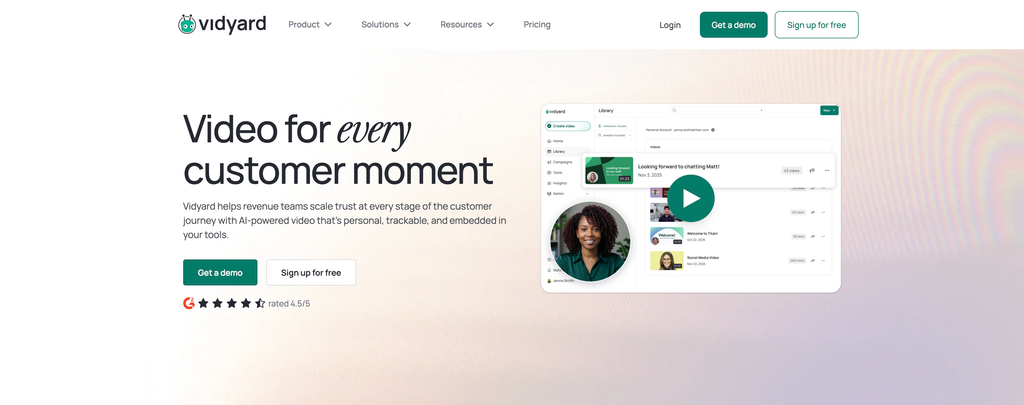
Vidyard is a video platform focused on sales communication, personalized video messaging, and business engagement.
It helps sales teams record and share videos with prospects, explain products, follow up after meetings, and communicate with customers.
Instead of sending another generic email, a sales representative can record a short personalized video explaining how a product solves a prospect’s specific problem.
Vidyard also provides viewer insights, sharing pages, calls to action, and integrations with supported CRM systems.
Its paid plans include video hosting capabilities, making it useful for teams that want to manage and distribute sales videos.
Key Features
- Screen and webcam recording: Record product walkthroughs and personalized messages.
- Video hosting: Store and share videos through the platform.
- Viewer analytics: Understand who watches videos and how they engage.
- Personalized video messaging: Create more direct communication with prospects.
- Calls to action: Add actions to encourage viewers to respond or book meetings.
- CRM integrations: Connect video activity with sales workflows on eligible plans.
- Team analytics: Monitor video usage and engagement across sales teams.
- AI video tools: Access supported AI video creation and automation features.
Pricing
Vidyard offers:
- Free: $0/month.
- Starter: $59/user/month, billed annually.
- Teams: Custom pricing.
- Enterprise: Custom pricing.
The Free plan offers limited recording and sharing features. Starter adds unlimited recording, video hosting, full video analytics, password protection, and customized sharing pages.
CRM integrations and additional team-management features are available on higher plans.
Pros
- Designed for sales communication.
- Personalized video messaging.
- Viewer engagement tracking.
- Useful for SaaS sales and customer success teams.
- CRM integrations on eligible plans.
Cons
- Per-seat pricing can become expensive for large teams.
- Not designed primarily for large-scale video infrastructure.
- Advanced integrations require higher plans.
- Less suitable for businesses that only need simple video storage.
Who Should Use It?
Vidyard is a strong option for B2B companies that use video in sales outreach, product demonstrations, and customer communication. It is especially useful when understanding viewer engagement is important to the sales process.
6. Brightcove – Best for Enterprise Video Hosting and Streaming
Best for: Large enterprises, media organizations, broadcasters, and companies with complex streaming requirements.
Overview
Brightcove is an enterprise video platform designed for organizations that manage large volumes of video content and need reliable distribution.
It provides tools for video hosting, content management, live streaming, monetization, and audience engagement.
Unlike simpler hosting platforms, Brightcove is designed to support more complex video operations. Large businesses can use it to manage video libraries, distribute content across different channels, and build streaming experiences for customers.
For example, a media company can use Brightcove to manage its on-demand content and live broadcasts while distributing videos across websites and applications.
The platform also offers enterprise-level integrations and video analytics.
Key Features
- Video content management: Organize and manage large video libraries.
- Live streaming: Broadcast events and other live content.
- Video delivery: Distribute content across websites, applications, and devices.
- Monetization: Support advertising and other video revenue models.
- Video analytics: Measure audience engagement and content performance.
- Enterprise integrations: Connect video workflows with business systems.
- Security controls: Support enterprise content protection requirements.
- Multi-device playback: Deliver video across supported platforms.
Pricing
Brightcove uses custom enterprise pricing.
The final cost depends on factors such as video volume, audience size, streaming requirements, features, integrations, and support needs.
Businesses generally need to contact the sales team for a quotation.
Pros
- Designed for enterprise-scale video operations.
- Supports live and on-demand streaming.
- Advanced content management capabilities.
- Useful for media and broadcasting businesses.
- Enterprise integration and support options.
Cons
- No simple public entry-level pricing.
- May be too complex for small businesses.
- Implementation can require technical resources.
- Enterprise contracts may involve a longer purchasing process.
Who Should Use It?
Brightcove is best suited to large enterprises and media organizations that need a comprehensive video platform. Smaller businesses with basic hosting requirements may find simpler services more practical.
7. Kaltura – Best for Enterprise Video Management and Customization
Best for: Large organizations, educational institutions, enterprise training teams, and businesses with specialized video requirements.

Overview
Kaltura is a flexible video platform that supports video hosting, management, streaming, virtual events, and enterprise communication.
It is designed for organizations that need more than a basic video player.
Businesses can use Kaltura to manage internal video libraries, create training experiences, support webinars, and integrate video into existing applications.
Its modular approach allows organizations to select capabilities based on their requirements.
For example, a large company can use Kaltura to host employee training videos, organize educational content, and connect its video environment with a learning management system.
Kaltura also provides APIs and customization options for organizations that want to build video experiences into their own platforms.
Key Features
- Video management: Organize and distribute video libraries.
- Live streaming: Host live business events and broadcasts.
- Virtual classrooms: Support online learning and training.
- Video portals: Create branded video experiences.
- API access: Integrate video functionality into applications.
- LMS integrations: Connect video with supported learning platforms.
- Analytics: Understand video usage and engagement.
- Content management: Manage different types of video content.
Pricing
Kaltura offers different pricing arrangements depending on the product and deployment.
Some webinar-focused offerings have published entry-level pricing, while enterprise video management and custom deployments generally require a quotation.
Pricing depends on the modules, storage, users, integrations, and support requirements.
Pros
- Flexible and customizable platform.
- Useful for enterprise video management.
- Supports education and training workflows.
- API and integration capabilities.
- Suitable for large video libraries.
Cons
- Setup can be complex.
- Pricing is not straightforward for every product.
- Some deployments require technical support.
- May be excessive for businesses with simple hosting needs.
Who Should Use It?
Kaltura is a suitable choice for enterprises, educational institutions, and organizations that need customizable video management and integration capabilities.
8. Dacast – Best for Business Live Streaming and Monetization
Best for: Event organizers, broadcasters, media companies, and businesses that host live events.
Overview
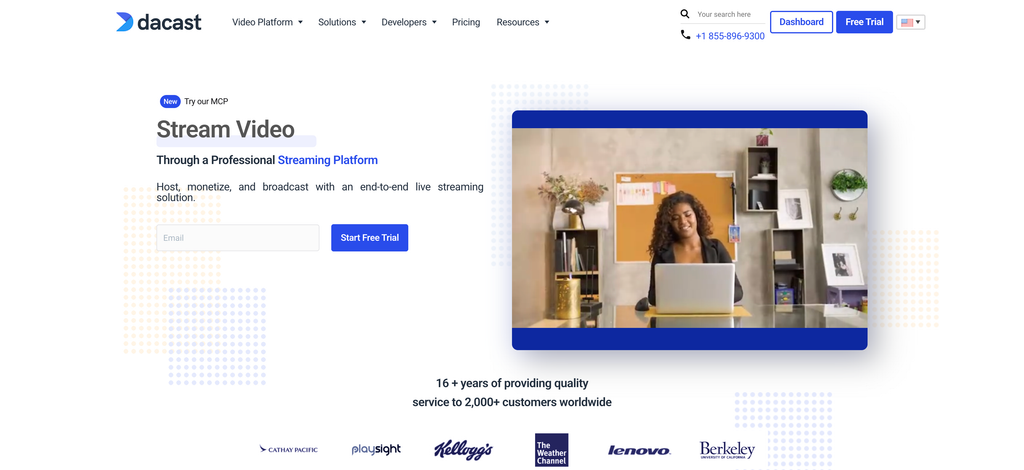
Dacast is a professional video hosting and streaming platform that supports both live and on-demand video.
It is particularly useful for organizations that want to broadcast events, host webinars, distribute video content, or monetize their streams.
Businesses can manage live broadcasts and recorded videos through a single platform.
For example, an organization hosting an online conference can use Dacast to stream the event to remote attendees and provide access to recorded sessions afterward.
The platform also supports monetization features such as pay-per-view and subscription-based access, depending on the plan and configuration.
Key Features
- Live streaming: Broadcast events and business presentations.
- Video on demand: Host recorded videos for later viewing.
- Video monetization: Support pay-per-view and subscription models.
- Video analytics: Monitor streaming performance and audience engagement.
- Access control: Protect content using supported security features.
- Video player: Embed streams into websites and applications.
- Content delivery: Deliver video to audiences across different locations.
- Mobile playback: Support viewers using mobile devices.
Pricing
Dacast’s published entry-level plans include:
- Starter: $39/month, billed annually.
- Event: $63/month, billed annually.
- Scale: $165/month, billed annually.
- Custom: Contact sales.
Plans differ in bandwidth, storage, and streaming capabilities. Businesses should check the current usage limits before selecting a subscription.
Pros
- Supports live and on-demand video.
- Useful for webinars and online events.
- Video monetization options.
- Professional streaming features.
- Suitable for media and event businesses.
Cons
- Bandwidth and storage limits need careful monitoring.
- May be more than necessary for simple website video hosting.
- Pricing increases with larger streaming requirements.
- Some advanced capabilities require higher plans.
Who Should Use It?
Dacast is useful for businesses that regularly broadcast webinars, conferences, product launches, and other live events. It is also worth considering for organizations that want to monetize their video content.
9. Cloudflare Stream – Best for Developers and SaaS Applications
Best for: SaaS companies, developers, product teams, and businesses building video functionality into applications.
Overview
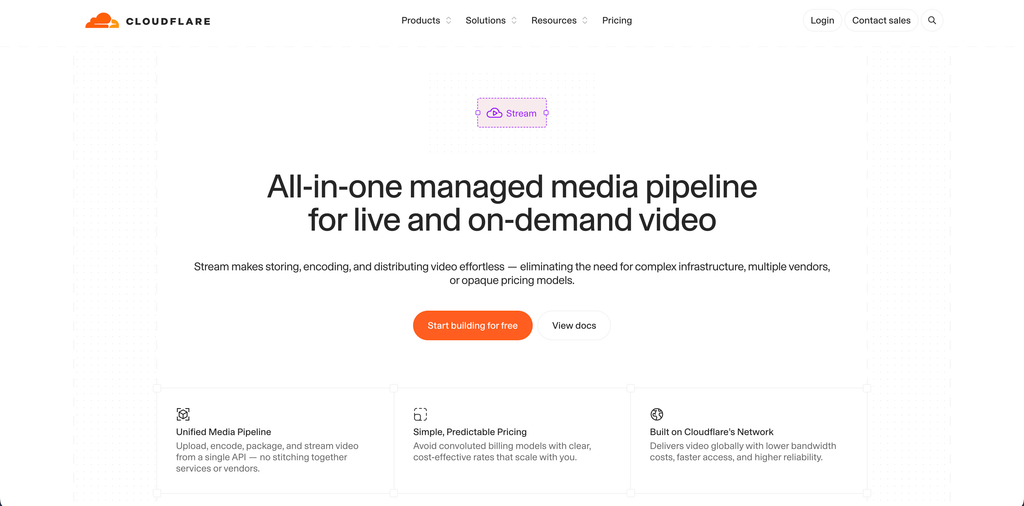
Cloudflare Stream is a managed video hosting and streaming service that allows developers to store, encode, and deliver video without maintaining their own video infrastructure.
It provides a unified API for handling video uploads, encoding, playback, and delivery.
This makes it different from platforms that focus mainly on marketing features or user-friendly video libraries.
A SaaS company, for example, can use Cloudflare Stream to add video uploads and playback to its product. The development team does not need to build a separate encoding and delivery system from scratch.
Cloudflare Stream also supports adaptive bitrate streaming, live video, signed URLs, and video analytics.
Key Features
- Video API: Manage uploads, storage, and playback through an API.
- Automatic encoding: Prepare uploaded videos for supported playback formats.
- Adaptive bitrate streaming: Adjust video quality based on network conditions.
- Global delivery: Deliver videos through Cloudflare’s network.
- Signed URLs: Restrict access to protected video content.
- Direct creator uploads: Allow users to upload videos through controlled upload links.
- Live streaming: Support live and on-demand video workflows.
- Analytics: Track video usage and delivery.
Pricing
Cloudflare Stream uses usage-based pricing.
Published pricing includes:
- Video storage: $5 per 1,000 minutes stored per month.
- Video delivery: $1 per 1,000 minutes delivered.
Encoding and ingress are included, and there are no separate egress bandwidth charges.
This model can be attractive for businesses that want to pay according to actual video storage and viewing activity.
Pros
- Developer-friendly API.
- Managed encoding and video delivery.
- Usage-based pricing.
- Adaptive bitrate streaming.
- Supports live and on-demand video.
- Useful for SaaS products and applications.
Cons
- Requires development work for customized experiences.
- Does not provide the same built-in marketing features as Wistia.
- Costs depend on storage and video delivery volume.
- Less suitable for teams that want a complete no-code video marketing platform.
Who Should Use It?
Cloudflare Stream is a good option for SaaS companies and developers that need to add video functionality to a website, application, or digital product without managing their own streaming infrastructure.
10. Bunny Stream – Best for Cost-Conscious Video Hosting and Delivery
Best for: Developers, SaaS businesses, website owners, and companies looking for flexible video delivery costs.
Overview
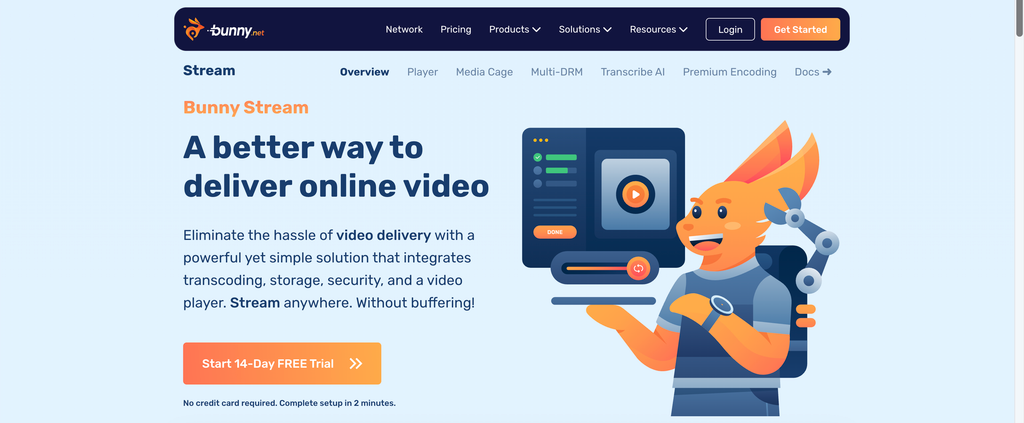
Bunny Stream is a video hosting and delivery service that combines storage, encoding, and CDN distribution.
It is designed to simplify video delivery while keeping infrastructure costs manageable.
Businesses can upload video content, let the platform handle encoding, and distribute the resulting video through its delivery network.
Bunny Stream is particularly relevant to companies that want to host large video libraries or deliver video content through their own websites and applications.
For example, an online learning platform can use Bunny Stream to deliver recorded lessons to students without maintaining a separate video encoding and CDN infrastructure.
The platform also provides security and player capabilities as part of its video service.
Key Features
- Video hosting: Store and manage uploaded video files.
- Automatic encoding: Prepare videos for supported playback formats.
- Video player: Use the included player for embedding and playback.
- CDN delivery: Distribute video content through Bunny’s network.
- Security features: Apply supported video access and protection settings.
- API access: Automate video uploads and management.
- Usage-based pricing: Pay according to storage and delivery consumption.
- Scalable infrastructure: Support growing video libraries and audience traffic.
Pricing
Bunny Stream uses usage-based pricing rather than a traditional fixed monthly video hosting subscription.
Published starting rates include:
- Storage: From $0.01 per GB.
- CDN delivery: From $0.005 per GB.
- Encoding: Included.
- Video player and security features: Included.
A minimum monthly charge applies. Actual costs depend on storage, delivery regions, and traffic volume.
Pros
- Flexible usage-based pricing.
- Includes video encoding.
- Built-in video player.
- CDN delivery.
- Useful for developer-led video projects.
- Can be cost-effective for businesses with predictable usage.
Cons
- Requires technical setup for advanced integrations.
- Not focused on marketing automation.
- Costs depend on storage and delivery usage.
- Businesses may need to build their own viewer-facing experience.
Who Should Use It?
Bunny Stream is suitable for businesses that want cost-conscious video hosting and delivery. It is particularly useful for developers, SaaS companies, online learning platforms, and websites with growing video libraries.
How to Choose the Right Video Hosting Platform for Your Business
Choosing a video hosting platform should start with understanding how your business plans to use video.
A company that needs to embed product demonstrations on its website has different requirements from a broadcaster hosting live events or a SaaS company building video uploads into its application.
Here are six factors to evaluate before making a decision.
1. Identify Your Main Video Hosting Requirements
Start by identifying what type of content your business plans to host.
Common use cases include:
- Product demonstrations and feature walkthroughs.
- Marketing and promotional videos.
- Employee training and onboarding.
- Customer education and support.
- Sales presentations.
- Webinars and live events.
- Paid video courses.
- User-generated video content.
For marketing videos, Wistia may be a suitable option. For sales communication, consider Vidyard. If your requirement is secure video delivery, compare Gumlet and SproutVideo.
2. Check Video Quality and Playback Performance
A video hosting platform should deliver a consistent viewing experience across different devices and internet connections.
Look for features such as:
- Adaptive bitrate streaming.
- Automatic video encoding.
- Mobile-friendly playback.
- Multiple resolution options.
- Global CDN delivery.
- Fast video loading.
- Reliable live streaming, if required.
A platform with adaptive streaming can automatically adjust playback quality based on the viewer’s connection.
This is particularly important for businesses with audiences across different countries and network conditions.
3. Evaluate Security and Access Controls
Not every business video should be publicly accessible.
For example, employee training videos, paid courses, private product demonstrations, and customer-specific presentations may contain information that needs protection.
Depending on your requirements, consider:
- Password protection.
- Private video links.
- Domain restrictions.
- Signed URLs.
- Geo-blocking.
- Dynamic watermarking.
- Digital rights management.
- Single sign-on.
- Role-based access controls.
If your company hosts paid or sensitive video content, evaluate the security features carefully instead of relying only on an unlisted link.
4. Compare Video Analytics
Video analytics help businesses understand whether their content is useful to viewers.
Basic analytics may show the number of plays and total viewing time. More advanced platforms can provide information about engagement, viewer drop-off, and interactions.
Useful metrics include:
- Total video views.
- Average watch time.
- Viewer retention.
- Engagement rate.
- Geographic performance.
- Playback completion.
- Clicks on calls to action.
- Viewer-level engagement, where supported.
For marketing teams, these insights can help identify which product videos and landing-page demonstrations attract the most attention.
5. Review Integrations and API Support
Businesses often use video hosting alongside other software.
For example, a SaaS company may need to connect its video platform with a website, CRM, analytics tool, or learning management system.
Before selecting a platform, check whether it supports:
- Website and CMS integrations.
- CRM integrations.
- Marketing automation tools.
- Learning management systems.
- Analytics platforms.
- REST APIs and SDKs.
- Webhooks and automation workflows.
Developer-focused platforms such as Cloudflare Stream and Bunny Stream are particularly relevant when video functionality needs to be integrated into an application.
6. Understand the Total Cost of Hosting Videos
Monthly subscription prices do not always show the complete cost of video hosting.
Some services charge based on the number of users, storage, bandwidth, or video delivery. Others use credit-based or usage-based pricing.
Before choosing a platform, estimate:
- Total video storage required.
- Monthly viewing time.
- Expected audience size.
- Number of team members.
- Live-streaming requirements.
- Additional security costs.
- API and integration expenses.
- Overage charges.
A low-cost plan may be sufficient for a small website, but a company with thousands of video views every day may need a different pricing model.
FAQs
Some of the best video hosting platforms for businesses in 2026 include Vimeo, Wistia, Gumlet, SproutVideo, Vidyard, Brightcove, Kaltura, Dacast, Cloudflare Stream, and Bunny Stream.
Each platform serves different requirements. Vimeo is useful for general business hosting, Wistia focuses on video marketing, Vidyard supports sales communication, and Cloudflare Stream is designed for developer-led video delivery.
Professional video hosting platforms help businesses store, manage, and deliver videos without relying entirely on their own website infrastructure.
They can provide optimized playback, video analytics, access controls, custom branding, and integrations.
These capabilities are particularly useful for companies that publish videos regularly or use video as part of their marketing, sales, training, or product experience.
YouTube can be useful for public video distribution, brand awareness, and audience discovery.
However, businesses may need more control over branding, privacy, embedded playback, analytics, and access restrictions.
Professional video hosting platforms are worth considering when videos are part of a website experience, customer onboarding process, internal training library, or sales funnel.
The best platform depends on how a SaaS company uses video.
Wistia is useful for product demonstrations and marketing analytics. Gumlet offers hosting, security, and delivery features for product and website videos. Vidyard supports sales communication, while Cloudflare Stream is useful for developers building video features directly into SaaS applications.
Several platforms offer private video hosting and access-control features.
Vimeo, Gumlet, SproutVideo, and Wistia provide different privacy options. Depending on the subscription, these may include password protection, domain restrictions, private links, or more advanced access controls.
For sensitive or paid content, review the exact security features included in the plan.
Video hosting refers to storing and managing video files on a platform so they can be accessed and played later.
Video streaming refers to delivering video content over the internet while viewers watch it.
Many professional platforms support both. For example, Cloudflare Stream and Dacast provide infrastructure for storing and delivering on-demand video, while Dacast also focuses on live streaming.
Business video hosting costs vary depending on storage, bandwidth, audience size, and features.
Some platforms offer free plans, while entry-level subscriptions can start around 6–15 per month. Marketing-focused and enterprise platforms may cost significantly more.
Developer-focused services may use usage-based pricing, where businesses pay according to video storage and delivery.
Conclusion
Choosing the right video hosting platform is an important decision for businesses that rely on video for marketing, sales, training, customer education, or product experiences.
The best platform is not necessarily the one with the most features or the lowest monthly price. It is the one that matches your actual hosting requirements and can support your business as its video library and audience grow.
Vimeo is a versatile choice for professional video sharing and collaboration. Wistia is particularly useful for marketing teams that want viewer analytics and lead-generation features. Gumlet and SproutVideo are worth considering for secure hosting and controlled video delivery, while Vidyard supports sales teams that use personalized video communication.
For larger organizations, Brightcove and Kaltura offer enterprise-oriented video management capabilities. Dacast is useful for live events, while Cloudflare Stream and Bunny Stream are strong options for businesses that need developer-friendly video infrastructure.
Before subscribing, compare storage limits, delivery costs, privacy controls, integrations, and analytics. A platform that works well for a small marketing team may not be the right choice for a SaaS product serving thousands of users.
The goal is to find a video hosting solution that makes publishing, managing, securing, and delivering business video easier.
For more insights into digital tools, social media marketing, and content technology, explore Socialthink.