10 Best AI Image Generators in 2026: Tested & Compared
TL;DR
The best AI image generators in 2026 include ChatGPT Images, Midjourney, Google Gemini, Adobe Firefly, Ideogram, Leonardo AI, Recraft, FLUX, Canva, and Stable Diffusion. ChatGPT is a strong all-round option for conversational image creation, Midjourney is popular for artistic visuals, Ideogram is useful for images containing text, and Adobe Firefly fits professional design workflows. The right choice depends on image quality, editing capabilities, pricing, and commercial usage requirements.
Introduction
Creating professional images used to require graphic design skills, expensive software, and considerable production time. Businesses often had to hire designers or purchase stock photography to create visuals for websites, advertisements, presentations, and social media campaigns.
AI image generators have changed this process.
Today, users can describe an image in natural language and generate visual content within minutes. Some platforms can also edit existing photographs, remove backgrounds, generate product images, create illustrations, and produce consistent visual assets for marketing campaigns.
However, choosing the right AI image generator is not always straightforward. Some tools focus on artistic quality, while others are better at generating realistic product photography, handling text inside images, or creating editable graphic assets.
For this comparison, we evaluated ten platforms based on their intended use cases, published features, pricing structures, accessibility, and creative workflows. The comparison uses official product information and does not claim standardized hands-on testing.
Quick Comparison: 10 Best AI Image Generators in 2026
| AI Image Generator | Best For | Key Feature | Starting Price |
| ChatGPT Images | General-purpose image creation | Conversational image generation and editing | Free |
| Midjourney | Artistic and creative visuals | High-quality stylized image generation | $10/month |
| Google Gemini | Realistic images and editing | Nano Banana image models | Free limited access |
| Adobe Firefly | Professional design workflows | Generative Fill and Adobe integration | $9.99/month |
| Ideogram | Images with readable text | Typography and text rendering | Free limited access |
| Leonardo AI | Digital artwork and creative assets | Multiple models and image guidance | Free |
| Recraft | Vector graphics and branding | Editable vector generation | Free limited access |
| FLUX | Photorealistic images and development | Advanced image generation and API | Pay per image |
| Canva | Social media and marketing graphics | AI generation inside a design editor | Free |
| Stable Diffusion | Customization and local generation | Open-weight models and custom workflows | Free to run locally |
Prices are in USD unless stated otherwise. Free access may include generation limits, public images, or restricted features. Annual billing, taxes, and regional pricing can change the final cost.
1. ChatGPT Images – Best for General-Purpose AI Image Creation
Best for: Beginners, content creators, marketers, business owners, and people who want to create and edit images using natural-language instructions.
Website: https://chatgpt.com/images
Overview
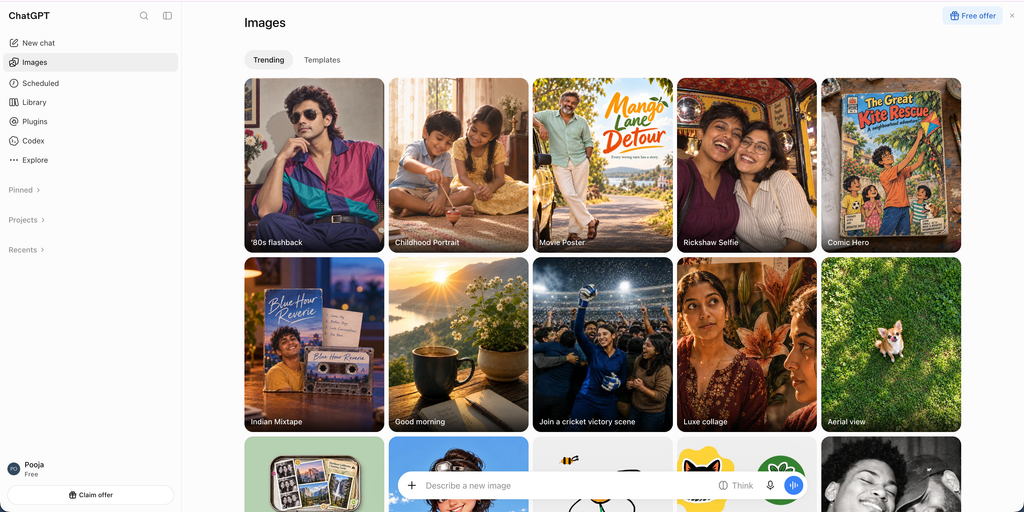
ChatGPT Images is a general-purpose image generation and editing experience built into ChatGPT.
Unlike traditional image generators that require users to learn detailed prompt structures, ChatGPT allows users to describe what they want in everyday language. It can generate images, revise existing visuals, add text, change backgrounds, and make adjustments through follow-up instructions.
For example, a marketing manager can request a promotional image for a new software product, review the result, and ask for changes to the background, lighting, composition, or text without starting the entire process again.
ChatGPT Images is particularly useful when the user has a visual idea but does not have professional graphic design experience.
Key Features
- Text-to-image generation: Create images from natural-language descriptions.
- Conversational editing: Refine generated images through follow-up instructions.
- Image editing: Upload an existing image and request specific changes.
- Text rendering: Add text and details inside generated images.
- Background control: Create images with transparent backgrounds when supported.
- Creative flexibility: Generate illustrations, product concepts, social media graphics, and realistic visuals.
ChatGPT Images 2.5 includes improved image detail, editing precision, and generation speed.
Pricing
- Free: Limited image generation.
- Plus: $20/month.
- Pro: Paid subscription with higher access limits.
- Business and Enterprise: Organization-specific plans.
Image generation is available across ChatGPT subscription tiers, although usage limits vary. API image generation is billed separately.
Pros
- Easy to use without advanced prompting skills.
- Supports conversational image editing.
- Useful for several types of creative projects.
- Works well for users who need to refine images repeatedly.
Cons
- Free usage has generation limits.
- Advanced usage depends on subscription limits.
- Not a dedicated vector design or professional layout editor.
Who Should Use It?
ChatGPT Images is a good starting point for marketers, entrepreneurs, bloggers, and content creators who want to generate and modify images without learning complex design software.
2. Midjourney – Best for Artistic and High-Quality Images
Best for: Digital artists, illustrators, designers, creative agencies, and users who prioritize visual aesthetics.
Website: https://www.midjourney.com/
Overview
Midjourney is one of the most recognized AI image generation platforms, particularly for artistic and visually detailed images.
It can generate cinematic scenes, concept art, illustrations, portraits, architectural concepts, and stylized photography from written prompts.
The platform is especially useful when the goal is to create visually distinctive images rather than simple illustrations.
For example, a creative agency can use Midjourney to develop visual concepts for a brand campaign, explore different photography styles, or generate artwork for a website.
Midjourney also provides image variations, editing controls, and reference-based workflows that help users refine their creative direction.
Key Features
- Text-to-image generation: Create visuals from detailed prompts.
- Image references: Use reference images to guide new generations.
- Style references: Maintain a particular artistic direction.
- Character references: Help maintain visual consistency across different images.
- Image variations: Explore alternative versions of generated artwork.
- Web and Discord access: Create images through its web platform and Discord workflows.
Pricing
Midjourney offers four subscription plans:
- Basic: $10/month.
- Standard: $30/month.
- Pro: $60/month.
- Mega: $120/month.
Annual billing provides a discount of approximately 20%.
The Standard, Pro, and Mega plans include unlimited image generation in Relax Mode, subject to the platform’s conditions. Private generation through Stealth Mode is available on Pro and Mega.
Pros
- Strong artistic image generation.
- Useful for concept art and creative campaigns.
- Multiple image styles and customization options.
- Reference-based generation workflows.
Cons
- Paid subscription required for regular use.
- Beginners may need time to understand advanced controls.
- Exact text rendering is not always reliable.
- Private generation requires higher-tier plans.
Who Should Use It?
Midjourney is a strong choice for designers, illustrators, creative professionals, and agencies that need visually distinctive artwork for websites, campaigns, and creative projects.
3. Google Gemini – Best for Realistic Image Generation and Editing
Best for: General users, marketers, students, and businesses that want image generation and editing within Google’s ecosystem.
Website: https://gemini.google.com/images
Overview
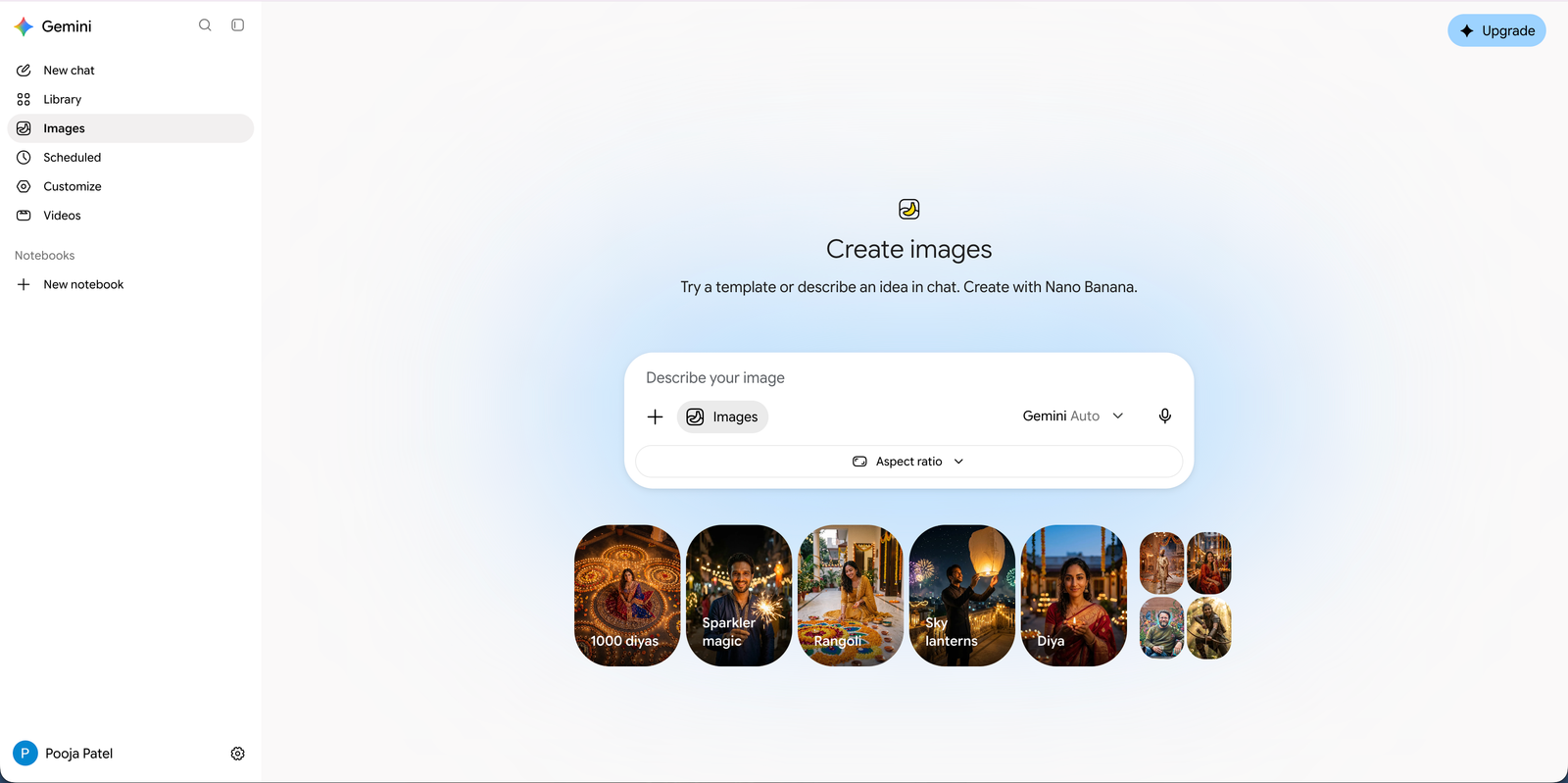
Google Gemini offers AI image generation and editing through its Gemini Image models, known by the Nano Banana name.
The platform combines image generation with Gemini’s language and reasoning capabilities. Users can describe an image, provide reference photographs, and request changes through natural-language conversations.
This makes it particularly useful for people who want to create images and refine them without switching between multiple applications.
For example, an e-commerce business can provide a product photograph and request a lifestyle scene featuring the same product in a different environment.
Google’s newer image models also focus on improved text rendering, visual consistency, and detailed image editing.
Key Features
- Text-to-image generation: Generate images using written descriptions.
- Image editing: Modify existing images through conversational instructions.
- Reference images: Use visual references to guide generation.
- Text rendering: Generate images containing readable text.
- Subject consistency: Maintain important visual characteristics during editing.
- Gemini integration: Combine image generation with conversational assistance.
Google offers different image models, including Nano Banana 2 and Nano Banana Pro, with different capabilities and access conditions.
Pricing
Google offers different levels of access:
- Free: Limited access to image generation.
- Google AI Plus: $9.99/month on the US pricing page.
- Google AI Pro: $19.99/month on the US pricing page.
- Google AI Ultra: Higher-tier subscription with expanded access.
Pricing and availability vary by country. The subscription also includes benefits beyond image generation, so compare the complete plan rather than treating its entire cost as an image-generation fee.
Pros
- Simple conversational image generation.
- Useful image editing capabilities.
- Strong integration with Gemini.
- Supports reference-based image creation.
Cons
- Generation limits depend on subscription and demand.
- Some advanced models require paid access.
- Commercial usage requirements should be reviewed separately.
Who Should Use It?
Google Gemini is suitable for users who want a combination of image generation, image editing, and conversational assistance. It is particularly useful for marketers and businesses already working with Google’s ecosystem.
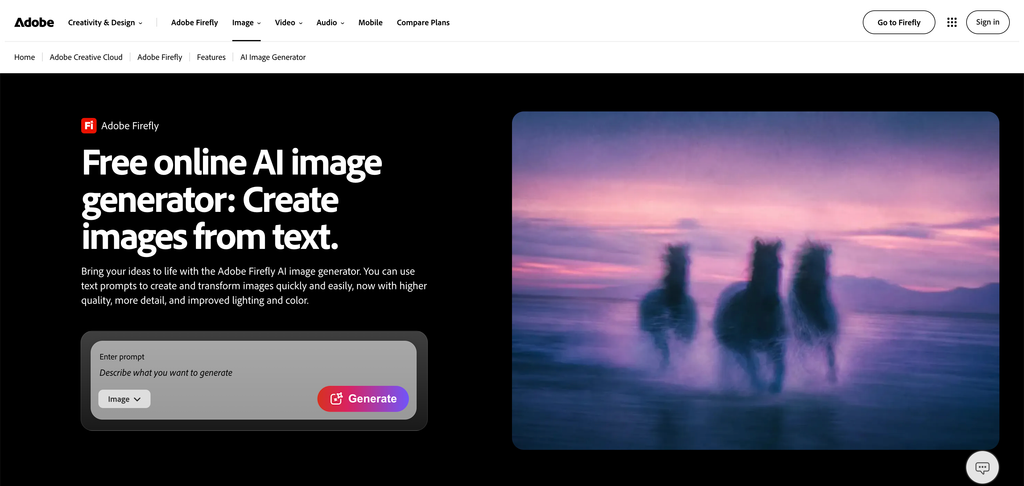
4. Adobe Firefly – Best for Professional Design and Commercial Workflows
Best for: Graphic designers, creative agencies, marketing teams, and businesses using Adobe applications.
Website: https://www.adobe.com/products/firefly/features/text-to-image.html
Overview
Adobe Firefly is an AI-powered creative platform designed to generate and edit images, videos, and other creative assets.
Its biggest advantage is its connection with Adobe’s wider design ecosystem.
Users can generate images from text prompts, modify existing photographs, remove unwanted objects, extend backgrounds, and use AI-powered editing features.
Generative Fill is particularly useful for professional designers. It allows them to select an area of an image and replace or extend it using a written description.
For example, a designer working on an advertising banner can expand an image to fit a different layout or remove distracting objects without recreating the entire photograph.
Adobe also provides access to selected third-party AI models through Firefly.
Key Features
- Text-to-image generation: Create images from written descriptions.
- Generative Fill: Add, replace, or remove image elements.
- Generative Expand: Extend images beyond their original boundaries.
- Image editing: Modify photographs and creative assets.
- Adobe integration: Connect creative workflows with Adobe applications.
- Firefly Boards: Organize and explore creative concepts.
- Multiple AI models: Access selected partner models through the platform.
Pricing
- Free: Limited daily generative access.
- Firefly Standard: $9.99/month.
- Firefly Pro: $19.99/month.
- Firefly Pro Plus: $49.99/month.
- Firefly Premium: $199.99/month.
Generative credit allowances and available features differ across plans.
Adobe markets Firefly’s own models as commercially safe, but users should still review the applicable terms, especially when using partner models and uploaded reference assets.
Pros
- Strong integration with Adobe applications.
- Useful professional image editing features.
- Generative Fill and Expand save editing time.
- Suitable for marketing and design workflows.
Cons
- Credit allowances can limit advanced generation.
- Some advanced features require higher subscriptions.
- The full Adobe ecosystem can be expensive.
Who Should Use It?
Adobe Firefly is particularly useful for professional designers, agencies, and marketing teams that already use Photoshop, Illustrator, or other Adobe applications.
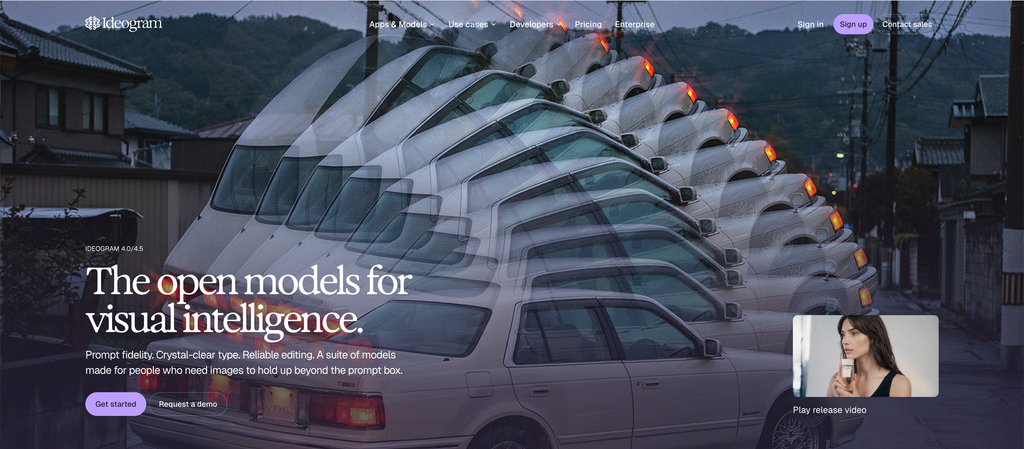
5. Ideogram – Best for Images With Text and Typography
Best for: Graphic designers, marketers, advertisers, social media managers, and businesses creating text-heavy visuals.
Website: https://ideogram.ai/
Overview
Ideogram is an AI image generation platform particularly known for its ability to create images containing text.
Text rendering has traditionally been a challenge for AI image generators. Letters can appear distorted, misspelled, or incorrectly positioned.
Ideogram focuses on improving this area, making it useful for generating posters, promotional graphics, typography-based artwork, and marketing visuals.
For example, a business creating a social media announcement can describe the visual style, background, and headline it wants to include. Ideogram can generate a creative concept with the requested text.
Its image editing and design features also help users refine their outputs.
Key Features
- Text-to-image generation: Create images using written prompts.
- Typography generation: Generate visuals containing text.
- Magic Prompt: Improve and expand image-generation prompts.
- Image editing: Modify existing images using supported tools.
- Style references: Guide visual appearance using reference images.
- Batch generation: Generate multiple image variations.
- Canvas and design tools: Arrange and refine visual elements.
Pricing
- Free: Limited generation access.
- Plus: $20/month, or $15/month with annual billing.
- Pro: $60/month, or $42/month with annual billing.
- Team: $20/user/month on annual billing.
- Enterprise: Custom pricing.
The Plus plan includes 2,400 priority credits per month, while Pro includes 7,500. Both offer additional slow-generation access under the plan conditions.
Pros
- Particularly useful for text-heavy images.
- Good for posters and promotional graphics.
- Multiple creative styles.
- Supports image editing and variations.
Cons
- Credit consumption depends on the generation model and quality.
- Advanced generation requires paid credits.
- Complex layouts may still need manual editing.
Who Should Use It?
Ideogram is a useful option for marketers, graphic designers, and social media teams that regularly create promotional graphics, posters, advertisements, and text-based visuals.
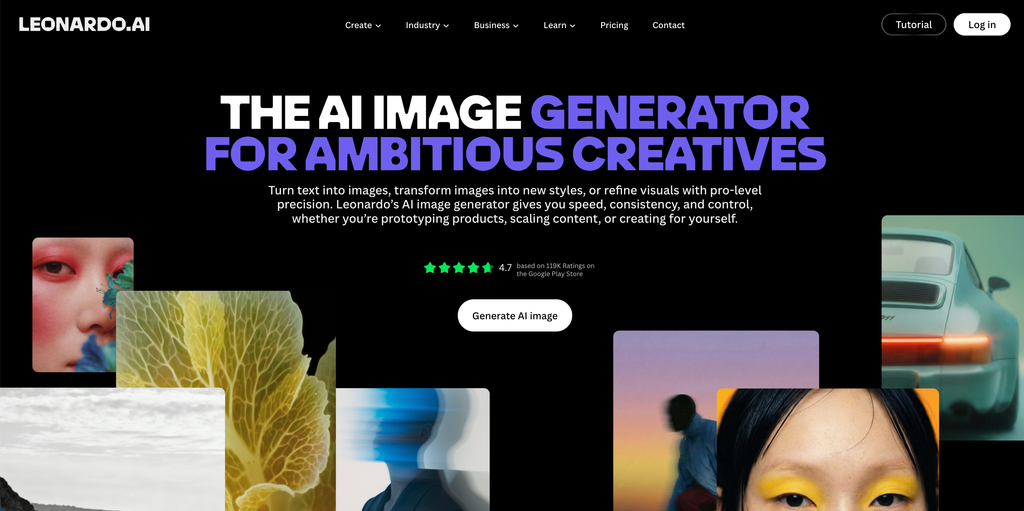
6. Leonardo AI – Best for Digital Artwork and Creative Assets
Best for: Digital artists, game developers, designers, illustrators, and creative professionals.
Overview
Leonardo AI is an AI creative platform that provides image generation, image editing, model customization, and visual asset creation.
It offers access to multiple image-generation models and styles, allowing users to create different types of artwork from one platform.
Leonardo is particularly useful for people who need more control over their creative outputs.
For example, a game development team can use it to explore character concepts, environments, props, and other visual assets before moving into production.
The platform also provides image guidance and personal model training features, helping creators develop more consistent visual styles.
Key Features
- Text-to-image generation: Generate artwork from prompts.
- Image guidance: Use reference images to influence outputs.
- Canvas editing: Modify and refine images.
- AI model training: Create personalized models using reference assets.
- Multiple models: Access different image-generation models.
- Image upscaling: Improve image resolution using supported tools.
- Creative presets: Apply different visual styles and effects.
Pricing
- Free: $0/month, with 150 fast tokens per day.
- Essential: $12/month.
- Premium: $30/month.
- Ultimate: $60/month.
- Team plans: Available separately.
Paid plans provide larger token allowances, private generations, additional model access, and higher generation limits.
Pros
- Wide range of creative models.
- Useful image guidance tools.
- Supports customized AI models.
- Suitable for different artistic workflows.
Cons
- Token usage can become difficult to manage.
- Beginners may find the available options overwhelming.
- Some third-party models consume additional tokens.
Who Should Use It?
Leonardo AI is worth considering for designers, digital artists, and developers who need more than basic text-to-image generation. Its model selection and image guidance features make it useful for complex creative projects.
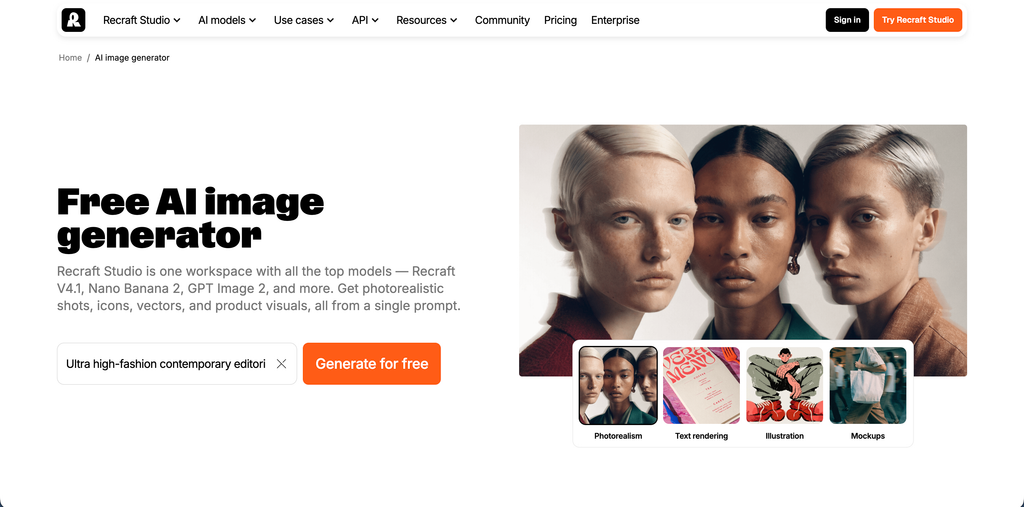
7. Recraft – Best for Vector Graphics and Brand Design
Best for: Graphic designers, branding agencies, illustrators, and businesses creating marketing assets.
Website: https://www.recraft.ai/ai-image-generator
Overview
Recraft is an AI design platform focused on image generation, vector graphics, and visual asset creation.
Unlike platforms that primarily generate raster images, Recraft also supports vector-based design workflows.
This is useful for designers who need illustrations, icons, logos, and other assets that can be adjusted within a design workflow.
For example, a branding agency can generate an initial illustration concept, refine the visual style, and create vector assets for a brand identity project.
Recraft also includes image editing tools and API access for businesses that want to integrate image generation into their own applications.
Key Features
- Text-to-image generation: Generate illustrations and images from prompts.
- Vector generation: Create editable vector graphics.
- Brand style consistency: Develop visual assets with a consistent creative direction.
- Image editing: Modify existing visual assets.
- Background removal: Remove backgrounds from images.
- Inpainting and outpainting: Edit specific areas or expand images.
- API integration: Integrate image and vector generation into applications.
Pricing
Recraft provides free and paid subscription options.
Its pricing page offers monthly and annual billing, with different credit allowances and features across Basic, Pro, and Teams plans. Exact prices should be checked at checkout because the published pricing display can change.
An important difference is image ownership and commercial usage:
- Free-plan images are publicly visible in the community gallery and are not licensed for commercial use.
- Paid-plan images remain private and include commercial usage rights under Recraft’s terms.
Pros
- Supports vector graphics generation.
- Useful for branding and illustration projects.
- Includes image editing tools.
- Offers API access.
- Paid plans provide private image generation.
Cons
- Free-plan images are not licensed for commercial use.
- Credit usage varies by model and operation.
- Advanced design workflows may require experience.
Who Should Use It?
Recraft is a strong option for branding agencies, designers, and marketing teams that need editable graphics, illustrations, and consistent brand visuals rather than only photorealistic images.
8. FLUX – Best for Photorealistic Images and Developer Workflows
Best for: Developers, AI researchers, creative agencies, e-commerce businesses, and teams building image-generation applications.
Website: https://bfl.ai/
Overview
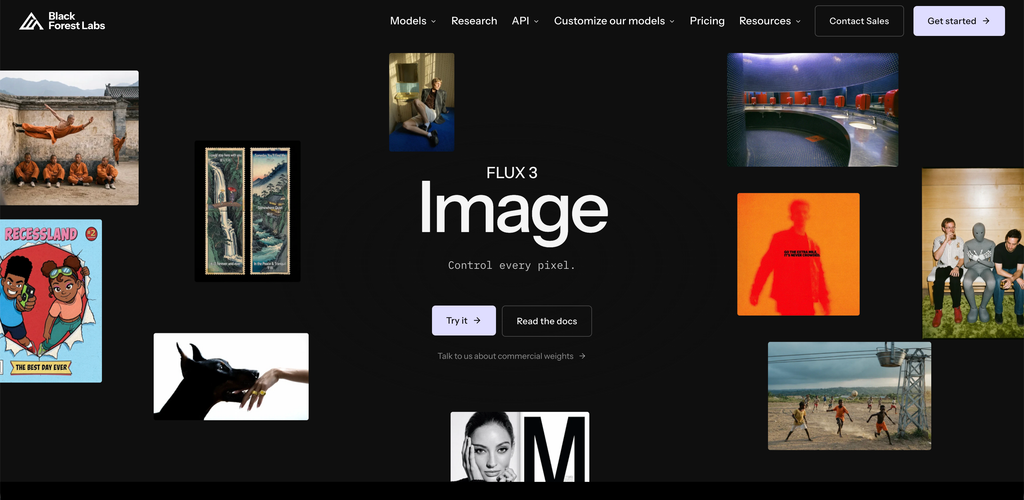
FLUX is a family of image-generation models developed by Black Forest Labs.
It is designed for high-quality image generation, image editing, and advanced creative workflows.
The FLUX.2 model family includes different variants that target different requirements, including speed, image quality, and fine-grained control.
FLUX is particularly useful for teams that want to integrate image generation into their own products or automate large-scale creative workflows.
For example, an e-commerce platform can use an image-generation API to create different lifestyle backgrounds for product photography without manually editing every image.
The platform also supports reference-based image editing and more detailed control over visual outputs.
Key Features
- Text-to-image generation: Generate images from detailed descriptions.
- Image-to-image editing: Modify existing images using prompts.
- Multiple reference images: Use multiple images to guide generation.
- Photorealistic outputs: Generate detailed product and lifestyle visuals.
- Text rendering: Support typography-heavy image workflows.
- API access: Integrate generation into websites and applications.
- Open-weight options: Deploy supported models on your own infrastructure.
FLUX.2 offers several variants:
- Klein: Designed for fast generation.
- Pro: Balanced quality and speed.
- Max: Focused on maximum image quality.
- Flex: Provides more control over generation.
- Dev: Open-weight development option with licensing restrictions.
Pricing
FLUX primarily uses usage-based pricing rather than a standard monthly subscription.
Published FLUX.2 API pricing includes:
- Klein 4B: From $0.014 per image.
- Klein 9B: From $0.015 per image.
- Pro: From $0.03 per megapixel.
- Max: From $0.07 per megapixel.
- Flex: From $0.05 per megapixel.
Pricing depends on image resolution and whether the workflow involves generation or editing. Open-weight models have separate licensing conditions.
Pros
- Strong image-generation capabilities.
- Useful for photorealistic product visuals.
- Supports reference-based editing.
- Flexible API integration.
- Suitable for automated workflows.
Cons
- More technical than beginner-focused platforms.
- API usage requires implementation knowledge.
- Licensing varies across model versions.
- Costs can increase with high-resolution generation and editing.
Who Should Use It?
FLUX is particularly relevant for developers, technology companies, e-commerce platforms, and agencies that want to integrate AI image generation into their existing products or production systems.
9. Canva – Best for Social Media and Marketing Graphics
Best for: Small businesses, social media managers, marketers, content creators, and non-designers.
Website: https://www.canva.com/ai-image-generator/
Overview
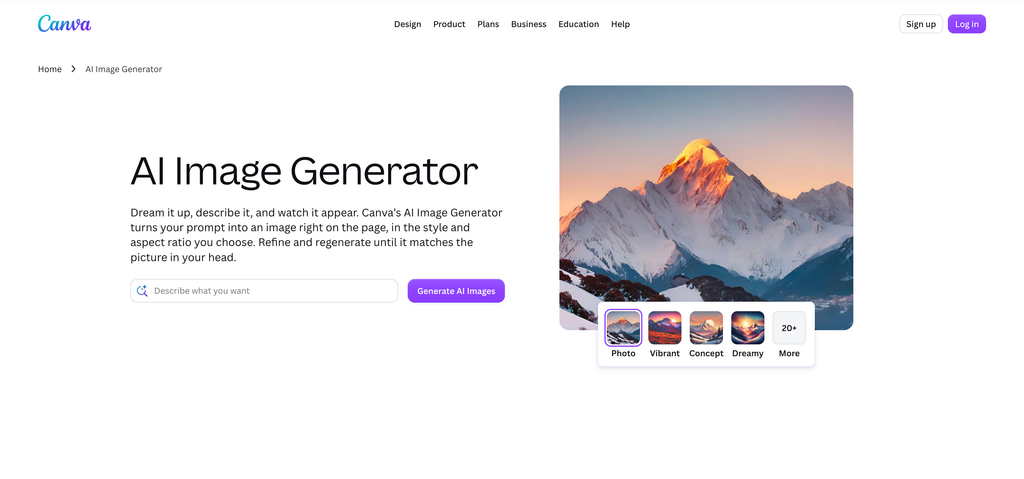
Canva combines AI image generation with a complete graphic design and content creation platform.
Its Magic Media and Canva AI features allow users to generate images and incorporate them directly into designs.
This makes Canva particularly useful for people who do not want to generate an image in one application and then move to another platform to create the final design.
For example, a social media manager can generate an image, place it inside an Instagram post template, add promotional text, include a brand logo, and prepare the final creative for publishing.
Canva also offers thousands of templates for presentations, advertisements, social media graphics, and marketing materials.
Key Features
- AI image generation: Create visuals from text prompts.
- Magic Media: Generate images and other creative assets.
- AI editing: Use supported AI tools to modify visual elements.
- Background remover: Remove image backgrounds.
- Design templates: Create social media posts, banners, and presentations.
- Brand kits: Maintain consistent brand colours, logos, and fonts.
- Content scheduling: Plan and publish social media content.
Pricing
Canva offers several plans:
- Free: $0/year
- Pro: $144/year
- Business and Enterprise: Separate pricing.
AI usage allowances vary by subscription. Canva Pro includes substantially more AI usage than the Free plan.
Pros
- Easy for beginners.
- Combines image generation and graphic design.
- Large template library.
- Useful brand management tools.
- Suitable for social media marketing.
Cons
- AI generation limits depend on the subscription.
- Not as specialized as dedicated image-generation platforms.
- Advanced creative control may be limited compared with professional design tools.
Who Should Use It?
Canva is ideal for small businesses, social media teams, and content creators who want to generate images and turn them into finished marketing materials without using multiple applications.
10. Stable Diffusion – Best for Customization and Local Image Generation
Best for: AI enthusiasts, developers, digital artists, researchers, and users who want greater control over image generation.
Website: https://stability.ai/
Overview
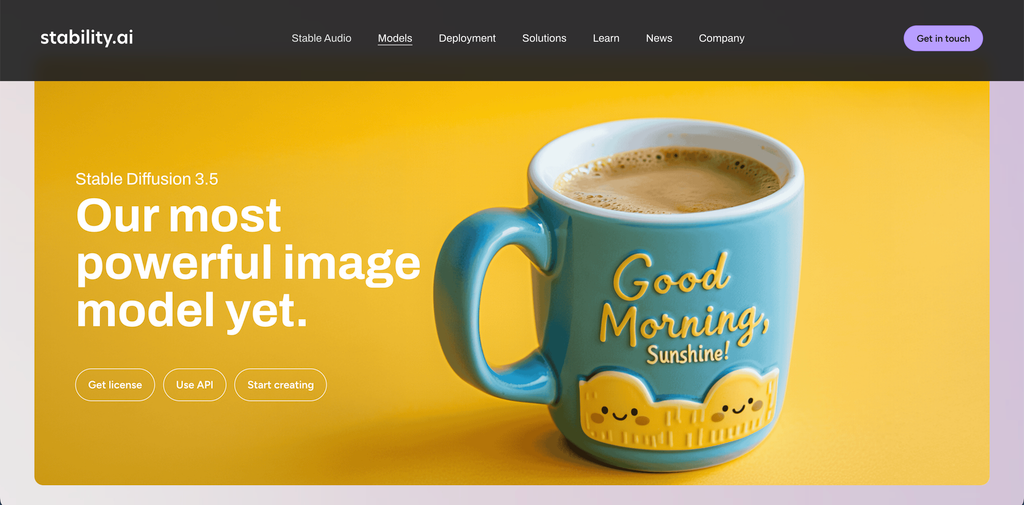
Stable Diffusion is an open-weight family of AI image-generation models that allows users to create images using text prompts and other visual inputs.
Unlike many subscription-based image generators, Stable Diffusion can be deployed locally on compatible hardware or accessed through third-party applications and services.
This makes it attractive for users who want to customize their image-generation workflows.
Users can work with different models, styles, extensions, and control systems to generate illustrations, portraits, product concepts, and other visual assets.
For example, a developer can build a custom image-generation application using Stable Diffusion models and connect it to a website or internal creative workflow.
Key Features
- Text-to-image generation: Create images using written descriptions.
- Image-to-image generation: Transform existing images into new visual styles.
- Inpainting: Modify selected areas of an image.
- Outpainting: Extend images beyond their original boundaries.
- Custom models: Work with compatible fine-tuned models and checkpoints.
- Local deployment: Run supported models on compatible hardware.
- Extensions and workflows: Customize image generation through supported tools.
Pricing
Stable Diffusion does not require a standard monthly subscription when running compatible open-weight models locally.
Potential costs include:
- Model access: Free for eligible open-weight releases.
- Local hardware: Depends on GPU and system requirements.
- Cloud hosting: Depends on the provider and computing usage.
- Third-party applications: May charge monthly subscriptions or generation credits.
Commercial use depends on the specific model version and its applicable licence. Users should review the terms before using generated assets in business projects.
Pros
- Extensive customization options.
- Local generation is possible.
- Large ecosystem of community tools.
- Useful for advanced creative workflows.
- No mandatory subscription for local use of eligible models.
Cons
- Requires technical knowledge for local setup.
- Hardware requirements can be demanding.
- Model quality and licensing vary.
- Beginners may find the workflow complicated.
Who Should Use It?
Stable Diffusion is suitable for developers, researchers, and experienced digital artists who want greater control over their image-generation environment and are comfortable managing technical configurations.
How to Choose the Best AI Image Generator
Choosing an AI image generator depends on what you want to create, how frequently you need images, and how much control you expect over the final output.
Here are five important factors to consider.
1. Understand Your Image Requirements
Different image generators are designed for different creative tasks.
If you need artistic illustrations, Midjourney and Leonardo AI are worth considering.
For promotional graphics containing text, Ideogram can be useful. For professional image editing, Adobe Firefly offers a more integrated workflow.
For social media graphics and everyday marketing content, Canva is a convenient option.
Start with your actual requirements instead of choosing a tool based only on popularity.
2. Compare Free Plans and Paid Pricing
Many AI image generators offer free access, but their limitations vary.
Some provide daily generation credits, while others restrict image privacy, generation speed, or advanced editing features.
Before purchasing a subscription, compare:
- Monthly generation allowances.
- Image resolution.
- Commercial usage rights.
- Private image generation.
- Editing and upscaling features.
- Additional credit costs.
A cheaper subscription is not necessarily better if it limits the number of images you can create.
3. Check Image Quality and Prompt Accuracy
Image quality involves more than resolution.
Pay attention to how accurately the platform follows your instructions, handles lighting, generates realistic details, and maintains consistency across multiple images.
If you regularly create product photographs, test how accurately the tool represents product shapes, colours, packaging, and other important details.
For marketing graphics, check whether it can generate readable text and maintain the correct visual layout.
4. Review Commercial Usage and Licensing
This is particularly important for businesses and marketing agencies.
Not every free AI image generator offers the same commercial usage rights.
Some platforms make free images publicly accessible, while paid subscriptions may provide private generation and different usage rights.
Review the terms covering:
- Commercial image usage.
- Ownership of generated assets.
- Privacy and public visibility.
- Uploaded reference images.
- Copyright and trademark restrictions.
- Model-specific licensing conditions.
Do not assume that every image generated through an AI platform is automatically suitable for commercial use.
5. Consider Integration and Workflow
The best tool should fit into your existing creative process.
For example, designers working with Adobe applications may benefit from Firefly, while marketing teams creating social media graphics may find Canva more convenient.
Developers building image-generation features into software products may prefer FLUX or Stable Diffusion.
Consider whether you need API access, team collaboration, image editing, batch generation, or integration with other design applications.
FAQs
Some of the best AI image generators in 2026 include ChatGPT Images, Midjourney, Google Gemini, Adobe Firefly, Ideogram, Leonardo AI, Recraft, FLUX, Canva, and Stable Diffusion.
Each platform has different strengths. Midjourney is useful for artistic visuals, Ideogram for text-heavy graphics, and Adobe Firefly for professional design workflows.
ChatGPT Images, Google Gemini, Leonardo AI, Canva, Ideogram, and Stable Diffusion offer free access in different forms.
However, free plans often include restrictions on generation limits, privacy, image quality, or commercial usage.
Stable Diffusion can also be run locally without a subscription when using eligible open-weight models, although hardware costs still apply.
Midjourney, Google Gemini, FLUX, and ChatGPT Images are worth considering for realistic image generation.
The final output depends on the model, prompt quality, reference images, and generation settings.
For product photography, test the tool using your actual product images rather than relying only on sample galleries.
Canva, Adobe Firefly, ChatGPT Images, and Ideogram are useful options for marketing teams.
Canva is convenient for creating complete social media graphics, Firefly supports professional design workflows, ChatGPT Images helps with image generation and editing, and Ideogram is useful for promotional visuals containing text.
Yes, many AI image generators allow commercial usage under their respective subscription and licensing terms.
However, the rules vary by platform and model. Some free plans have restrictions, and certain open-weight models have specific licensing requirements.
Businesses should review the relevant terms before using AI-generated images in advertisements, websites, packaging, or client projects.
AI image generators can reduce the time required to create initial visuals, illustrations, and creative concepts. However, they do not completely replace graphic designers.
Professional design work also involves brand strategy, visual consistency, layout decisions, typography, image correction, and understanding the target audience.
AI tools are most useful when they support the creative process rather than replace the entire design workflow.
Conclusion
AI image generators have made visual content creation more accessible to businesses, marketers, designers, and everyday users.
However, there is no single platform that is best for every creative requirement.
ChatGPT Images is a strong general-purpose option for conversational image generation and editing. Midjourney is useful for artistic visuals, while Google Gemini offers image generation and editing through natural-language instructions.
Adobe Firefly is particularly relevant for professional design workflows, and Ideogram is a useful choice for text-heavy graphics. Leonardo AI and Recraft provide additional creative control, while FLUX and Stable Diffusion are relevant for developers and advanced users.
For businesses creating regular marketing content, Canva offers a convenient combination of AI generation and graphic design.
Before selecting a subscription, test the platform with your actual creative requirements. Compare output quality, editing flexibility, generation limits, and commercial usage terms.
The best AI image generator is ultimately the one that fits your creative workflow and helps you produce useful, consistent visuals without adding unnecessary complexity.
For more insights into AI tools, social media marketing, and digital content creation, explore Socialthink.